Skip to content

VSeeFace: VTuber Software App

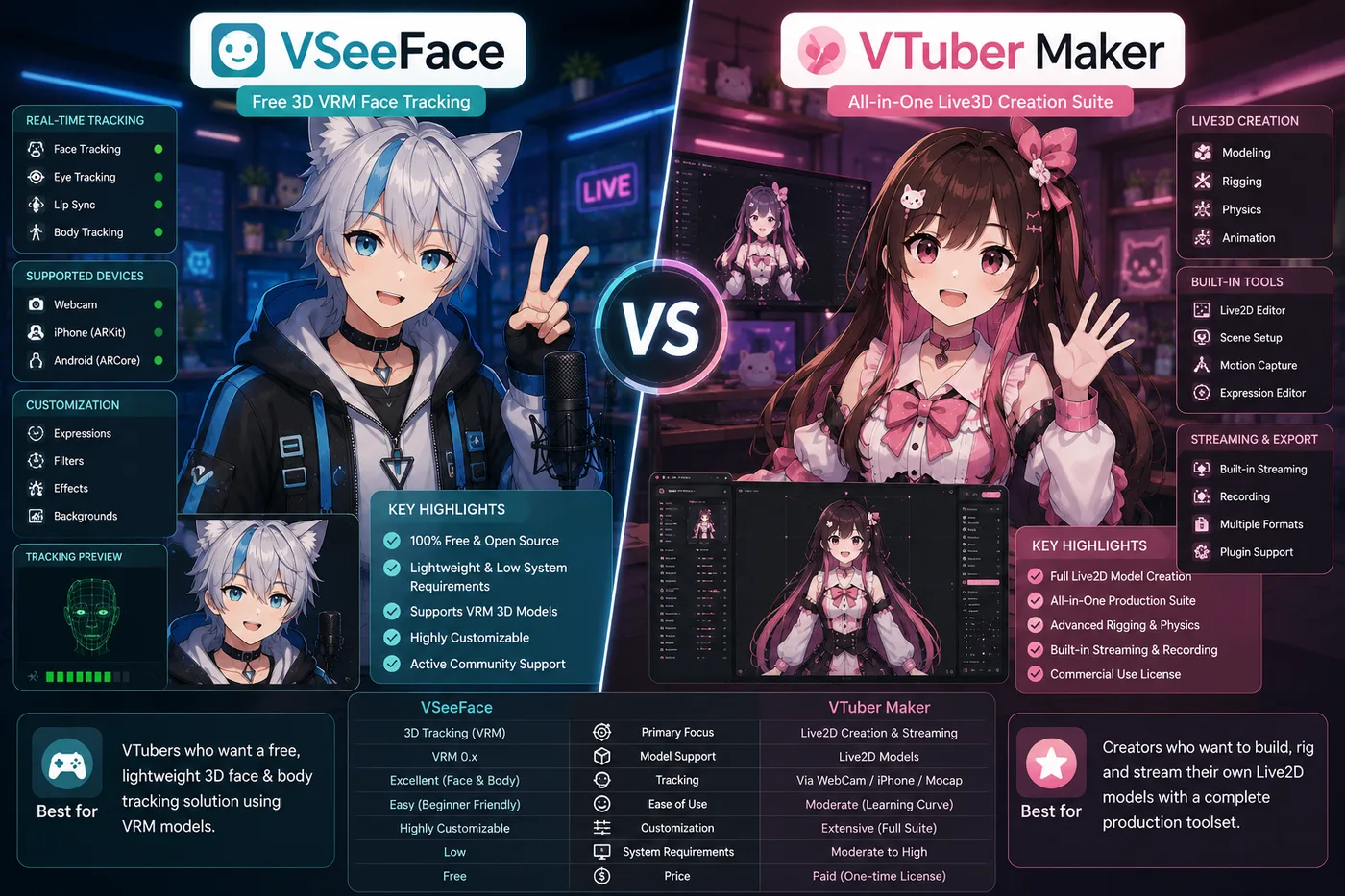
VSeeFace is a free 3D VRM face-tracking app for indie VTubers who want to animate premade models in OBS—fast setup, zero upfront cost, and a community default for first 3D streams. It is a strong tracker for driving someone else's VRM.

Download VSeeFace

Updated October 23, 2026

VSeeFace VTuber Software App

What is VSeeFace?

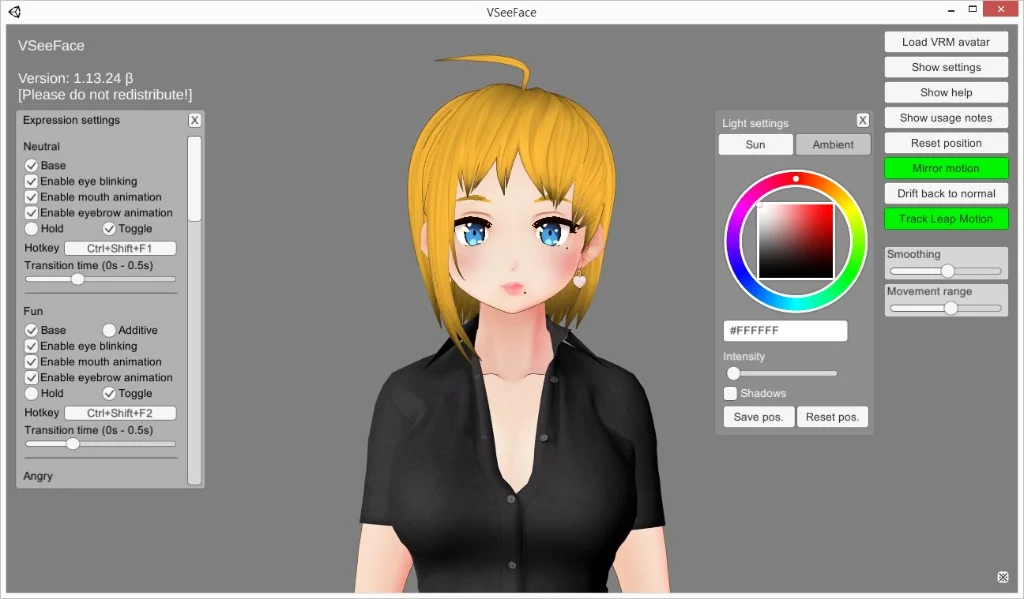
VSeeFace is a free Windows application that turns your webcam into a 3D VTuber puppet. It reads your face in real time and moves a VRM avatar—mouth, eyes, brows, and head—while you talk. Most indie streamers capture the VSeeFace window in OBS Studio and send that scene to Twitch, YouTube, or any platform OBS supports.

The name shows up whenever someone asks for a free 3D tracker before they buy a full studio suite. VSeeFace is deliberately small: one job, done well, with almost no setup tax.

A tracker, not a model studio

VSeeFace sits in the performance layer of a VTuber stack. You bring a finished .vrm file; the app tracks you and renders the avatar. It does not sculpt meshes, rig bones, paint textures, or export new models. If you need art, that happens in VRoid Studio, Blender, or a commission—and the result lands in VSeeFace as a VRM you already own.

That separation is why “I installed VSeeFace but I still have no avatar” is such a common stuck point. The installer is the runtime, not the character.

VRM: the file type VSeeFace expects

VRM is the open 3D avatar format most indie 3D VTubers share—humanoid rigs with blend shapes for expressions, usually exported from VRoid or similar tools. VSeeFace loads .vrm directly. It does not open Live2D .model3.json projects, PNGtubing sprites, or raw FBX from a game pipeline without a VRM export step.

Match the app to the file, not to hype: a beautiful Live2D model will never appear inside VSeeFace no matter how many times you click Import.

What you get on stream

Out of the box, VSeeFace focuses on face tracking: lip sync from your mouth, gaze and blinks, head rotation, and basic expression toggles depending on the model. Optional hand tracking exists on some setups, but most debuts run face-only until lighting and calibration feel solid.

You can look around a 3D space in a way a flat Live2D facecam cannot, which is why VRM debuts often feel “more present” even with a stock premade model. Free does not mean magic—you still need even front light and a clear view of your face.

Who VSeeFace is for

VSeeFace fits indie 3D VTubers on Windows who already have (or will buy) a VRM and want to go live without a subscription. It is a strong first tracker for chatting, variety streams, and many game streams where a single tracked window is enough.

It is a poor fit if your avatar is Live2D 2D, if you need Mac or Linux native support from the developer, or if you want reactive props, multi-camera shows, and node logic inside the tracker itself—those are the moments people graduate to heavier 3D apps while keeping OBS as the broadcast layer.

Where it sits next to OBS

Think in two windows: VSeeFace moves the avatar; OBS mixes avatar, game, alerts, and audio before the stream key. VSeeFace is not a replacement for OBS, and OBS does not replace tracking. The same split Live2D creators use with VTube Studio applies here—only the model format changes from 2D art to 3D VRM.

How to use VSeeFace

  1. Install VSeeFace from the official site (see Download VSeeFace at the end of this page).
  2. Load a .vrm from VRoid Studio, a premade pack, or another trusted source. Confirm the license allows streaming.
  3. Allow webcam access, use even front lighting, and run face calibration until expressions feel stable.
  4. In OBS, add Window Capture (or Game Capture if the window flickers) and select VSeeFace. Crop and scale the source in your scene.
  5. Route your USB mic through OBS, disable echo, and record a short test clip to check lip sync and frame rate.

Alternatives to VSeeFace

Stay on VSeeFace for free VRM tracking with minimal setup. When you outgrow one window, need a packaged 3D debut, or are choosing a different avatar format—these are the paths BeTuber compares most often.

BeTuber

Top pick: All-in-one studio.

BeTuber — modern VTuber app

Model, scenes, tracking, and go-live in one place. VRM and Live2D in one stack. Free to start; grow when one app isn’t enough. Create VTuber model in BeTuber.

Warudo VTuber app

Warudo

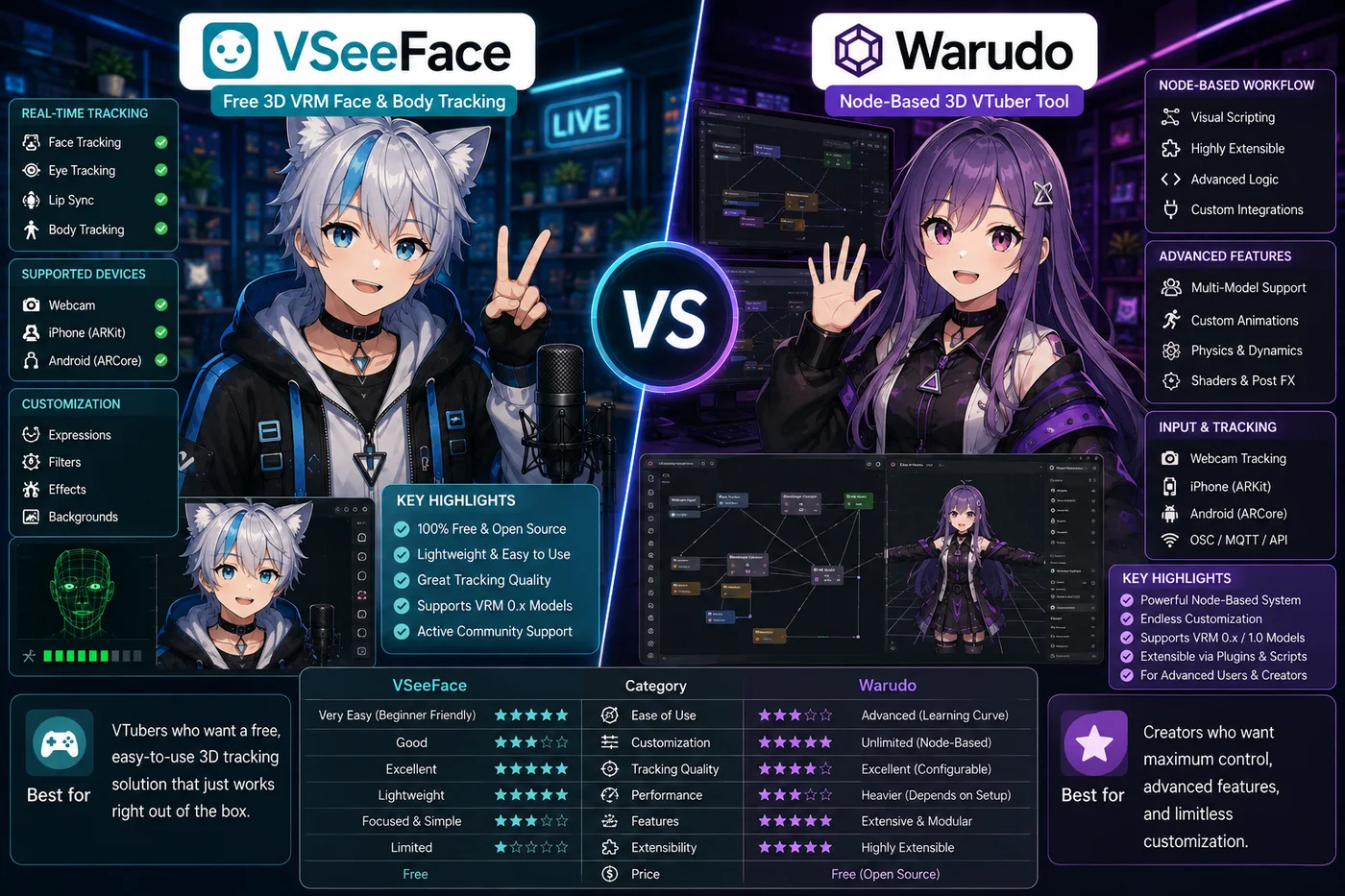
Node-based 3D scenes, props, and logic when VSeeFace feels limiting but you are not ready for a full game-engine pipeline.

Tracking software
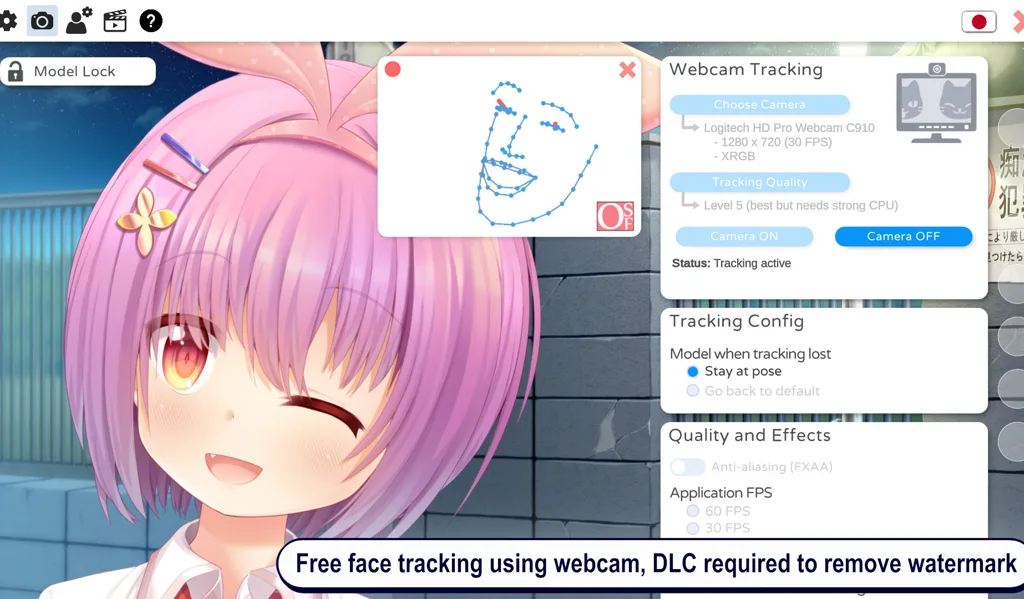
VTuber Maker Live3D

VTuber Maker (Live3D)

Bundled 3D avatars and a guided first setup if you do not have a `.vrm` file yet and want a packaged debut.

Tracking software
VTube Studio

VTube Studio

The usual Live2D tracker when your avatar is 2D art—not VRM. Pair with OBS the same way you would VSeeFace.

Tracking software
VRoid Studio

VRoid Studio

Build or customize a free `.vrm`, then load the export in VSeeFace or any 3D tracker—authoring, not a tracker replacement.

Avatar authoring
Veadotube Mini

Veadotube Mini

Free PNG avatar app with mic-reactive mouths and hotkeys—ideal when you want a 2D debut without VRM or Live2D.

PNG software

VSeeFace and VTubers

Indie VTubers treat VSeeFace as the default first 3D stack: no subscription, a large premade VRM library, and a short path from install to live. VSeeFace handles head motion and expressions; OBS handles layout, alerts, chat, and game capture — the same split Live2D creators use with VTube Studio.

Many debuts are only VSeeFace, a decent mic, and stable lighting. When you need reactive props, multi-step scenes, or node logic, some creators add Warudo while keeping OBS as the broadcast hub.

Download VSeeFace

The current Windows build is free to download from the official source below. Verify the URL before installing so you avoid fake installers. You need 64-bit Windows, a webcam (or a trusted phone feed), and enough GPU headroom to run VSeeFace and OBS together.

VSeeFace compare guides

Side-by-side matchups when you are choosing between VSeeFace and another tracker or avatar format.

VSeeFace vs Warudo vs BeTuber (2026): 3D tracking paths

VSeeFace vs Warudo vs BeTuber

VSeeFace vs Warudo in 2026: free VRM tracking vs node-based scenes, props, and when to upgrade—or use BeTuber for an all-in-one debut.

Compare
BeTuber VTuber character in an idle full-body hologram pose

Be the next virtual youtuber star

Be the next virtual youtuber star, be the next vtuber.

Frequently asked questions

Is VSeeFace free?
Yes. VSeeFace is free to download and use for personal VTubing and streaming, with no subscription fee. Get it only from the official vseeface.icu site so you avoid fake installers or repacked builds.
What is VSeeFace used for?
VSeeFace is a real-time face-tracking app that animates VRM 3D avatars from your webcam. VTubers use it to drive mouth, eyes, and head motion, then capture the app window in OBS Studio to stream on Twitch, YouTube, or similar platforms.
Does VSeeFace work with Live2D models?
No. VSeeFace loads VRM 3D avatars only. Live2D Cubism models need a Live2D tracker such as VTube Studio. If your avatar is 2D art with a `.model3.json` file, VSeeFace is not the right app.
Can you use VSeeFace on Mac or Linux?
Officially, VSeeFace supports 64-bit Windows only. There is no native Mac or Linux release from the developer. Some people run it through Windows virtualization, but that is unsupported and can reduce tracking quality or frame rate.
What file format does VSeeFace need?
VSeeFace uses `.vrm` files, the shared 3D avatar format from VRoid Studio and many premade models. It does not open Live2D projects, FBX rigs, or PNGtubing layers directly.
How do you use VSeeFace with OBS?
Load your VRM in VSeeFace, start tracking, then add a Window Capture or Game Capture source in OBS pointed at the VSeeFace window. Scale and crop the source in your scene, route your microphone through OBS, and stream to your platform.
Do you need a webcam for VSeeFace?
Yes for face tracking. A 720p or 1080p webcam with even front lighting works for most setups. Some phone camera feeds also work. Optional hand tracking depends on your camera, lighting, and model.
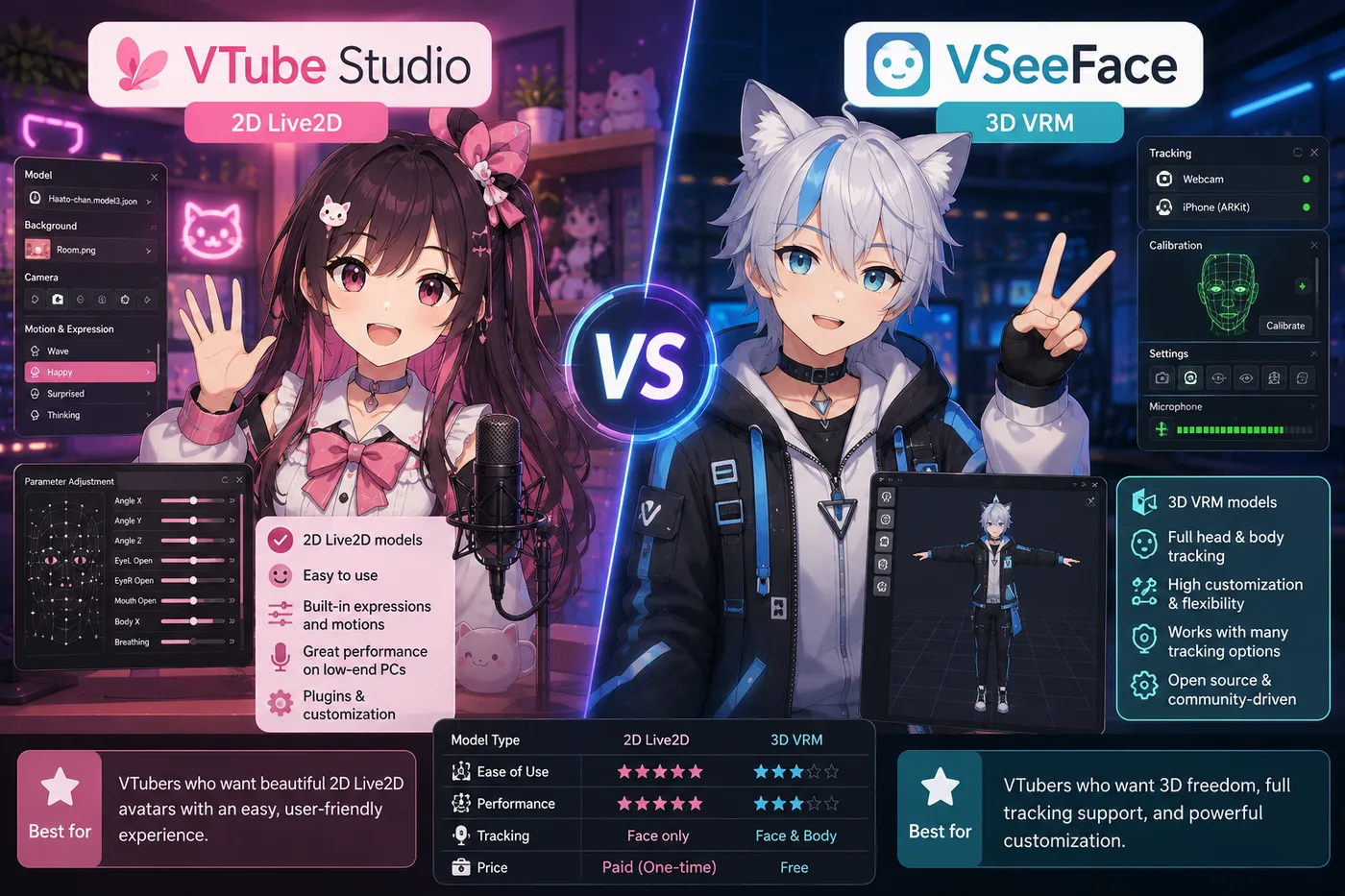
What is the difference between VSeeFace and VTube Studio?
VTube Studio tracks Live2D 2D avatars; VSeeFace tracks VRM 3D models. Both pair with OBS for streaming, but they use different file formats and suit different art styles. Choose VSeeFace for a 3D VRM debut.
Can VSeeFace track hands?
VSeeFace supports optional hand tracking on some setups, but most VTubers rely on face tracking only. Hand results vary with camera angle, lighting, and the VRM; face tracking is the stable default for debuts.
Does VSeeFace create or edit avatars?
No. VSeeFace does not rig, sculpt, or export models. Build or export a VRM in VRoid Studio, or use a licensed premade VRM, then import the file into VSeeFace for tracking only.
What is the best free alternative to VSeeFace?
If you want more than a single VSeeFace capture window—creating a model, building scenes, face tracking, and going live in one studio—BeTuber is the best free alternative we highlight on this page. Stay on VSeeFace when you only need download-and-track VRM in OBS with minimal setup; see Warudo for node-based 3D scenes or VTuber Maker for a packaged Live3D kit.