What is the VTuber Compare hub on BeTuber?
+
It is a curated index of three-way matchup guides for software people search in the same breath—face trackers (VTube Studio, VSeeFace, Warudo), broadcast tools (OBS, PRISM Live Studio), and packaged debut paths (VTuber Maker). Each article is written for decision-making: file types, install order, and when an all-in-one studio beats a specialist window. Ranked product cards and download flows stay on the VTuber App hub; Compare focuses on side-by-side verdicts.
Which comparison should I read first as a beginner?
+
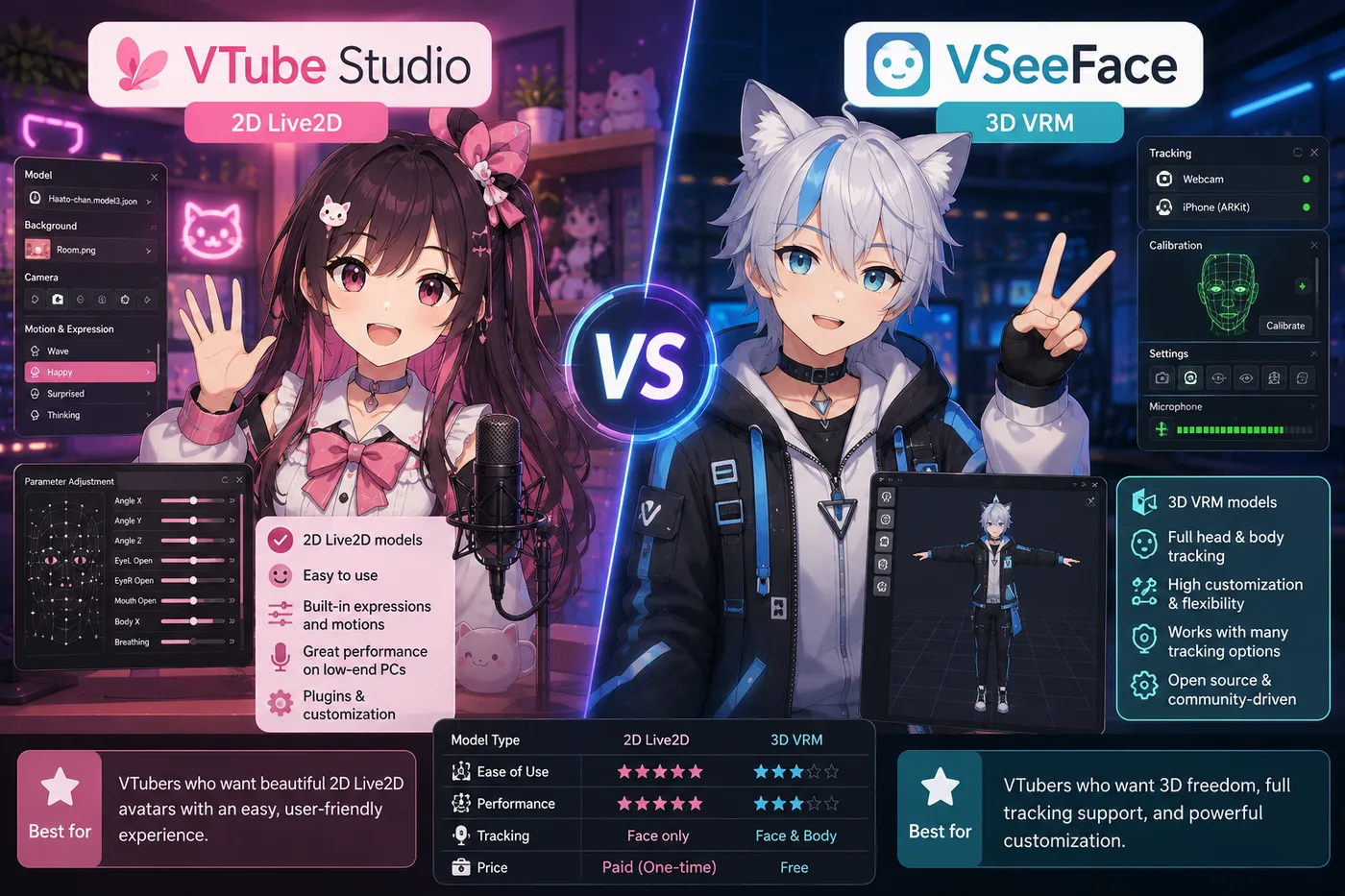
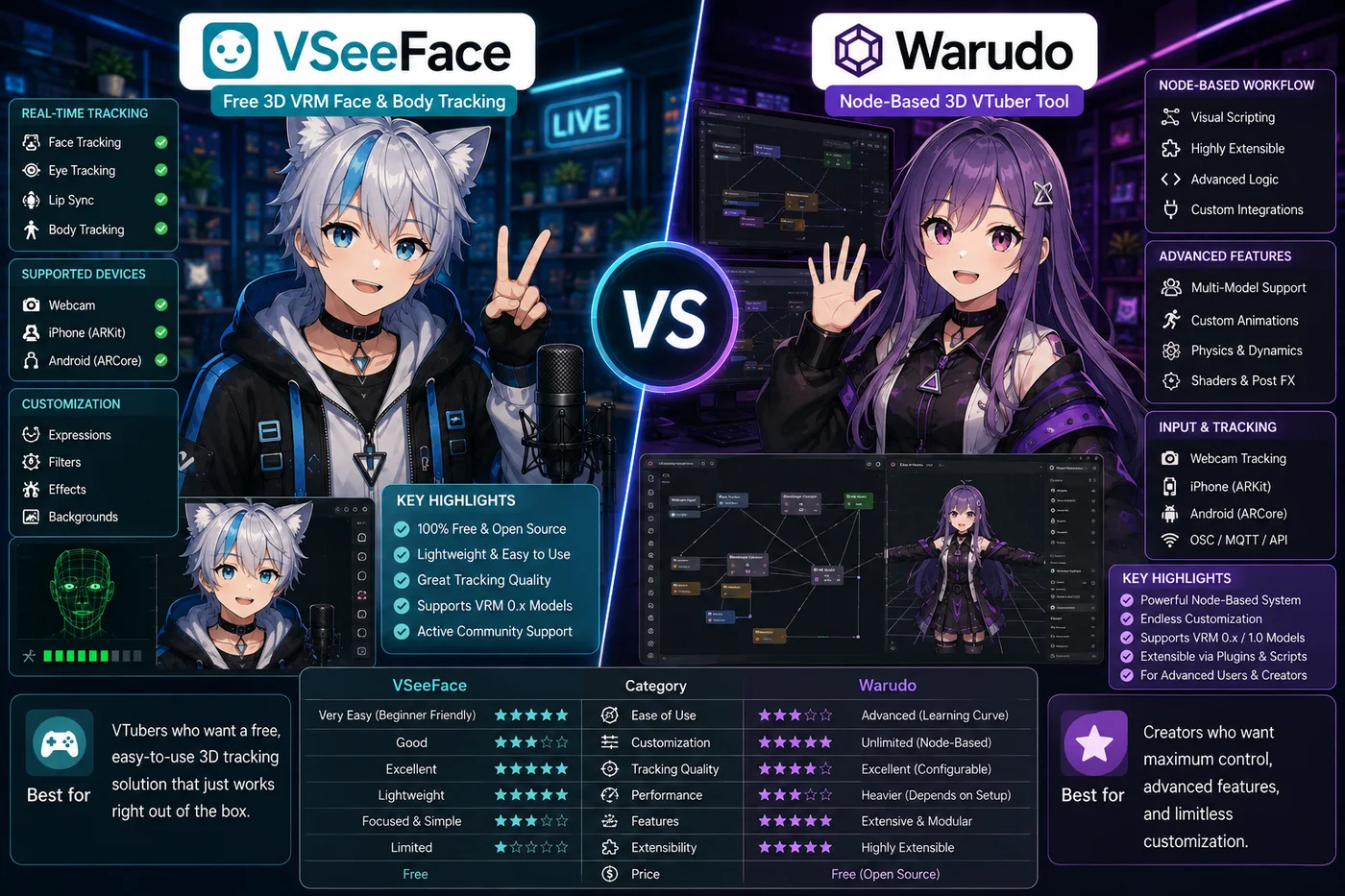
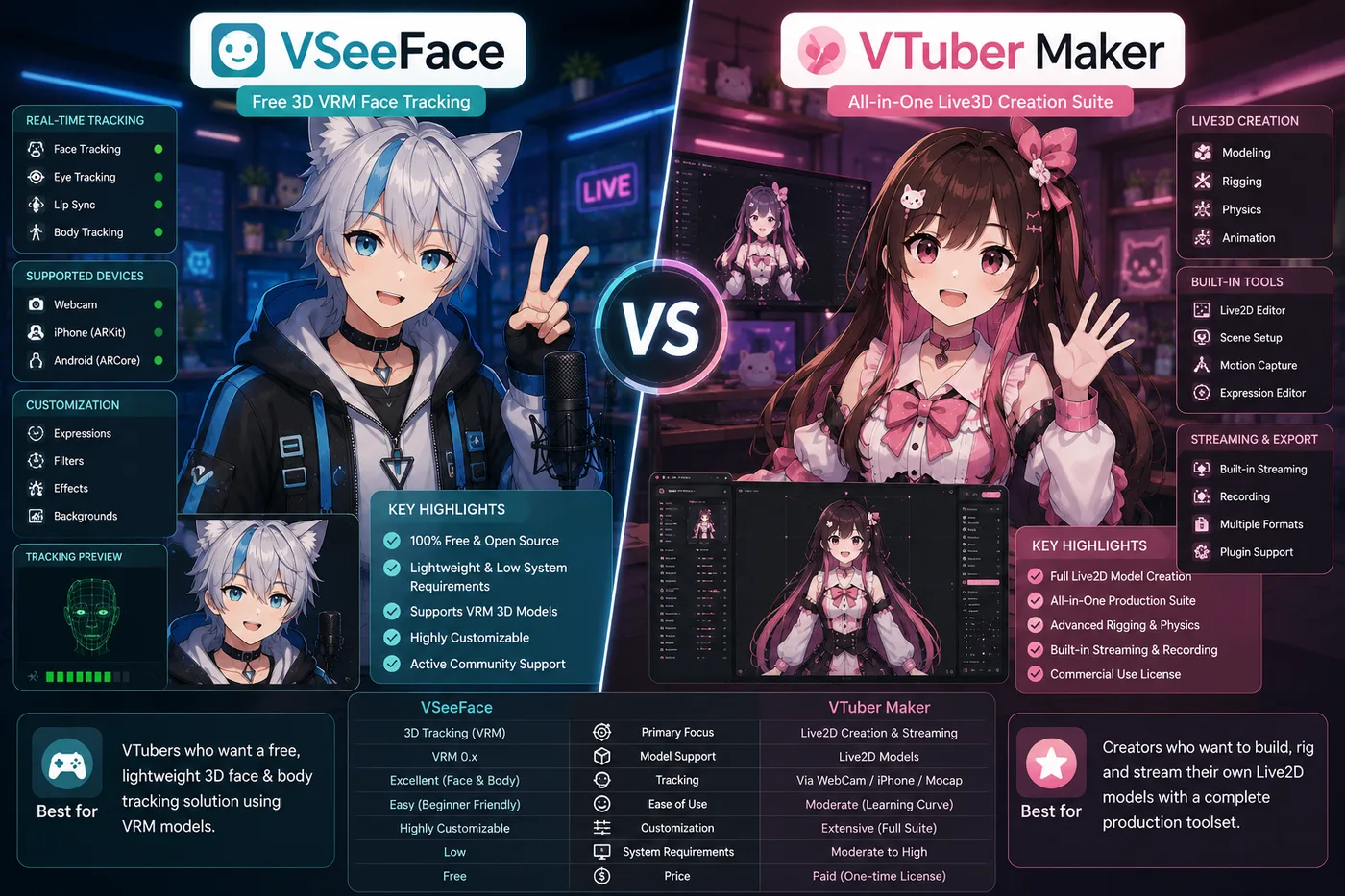
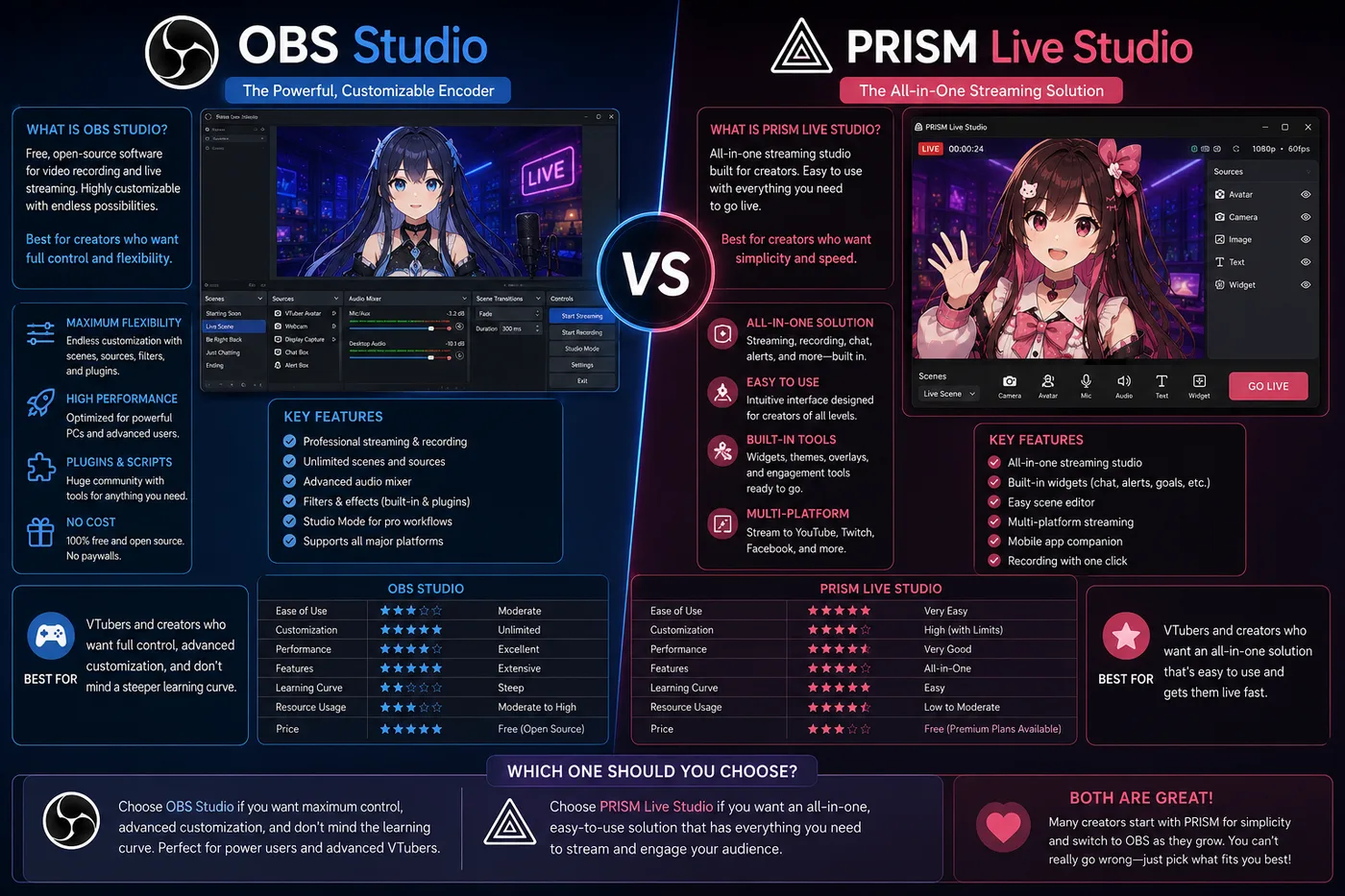
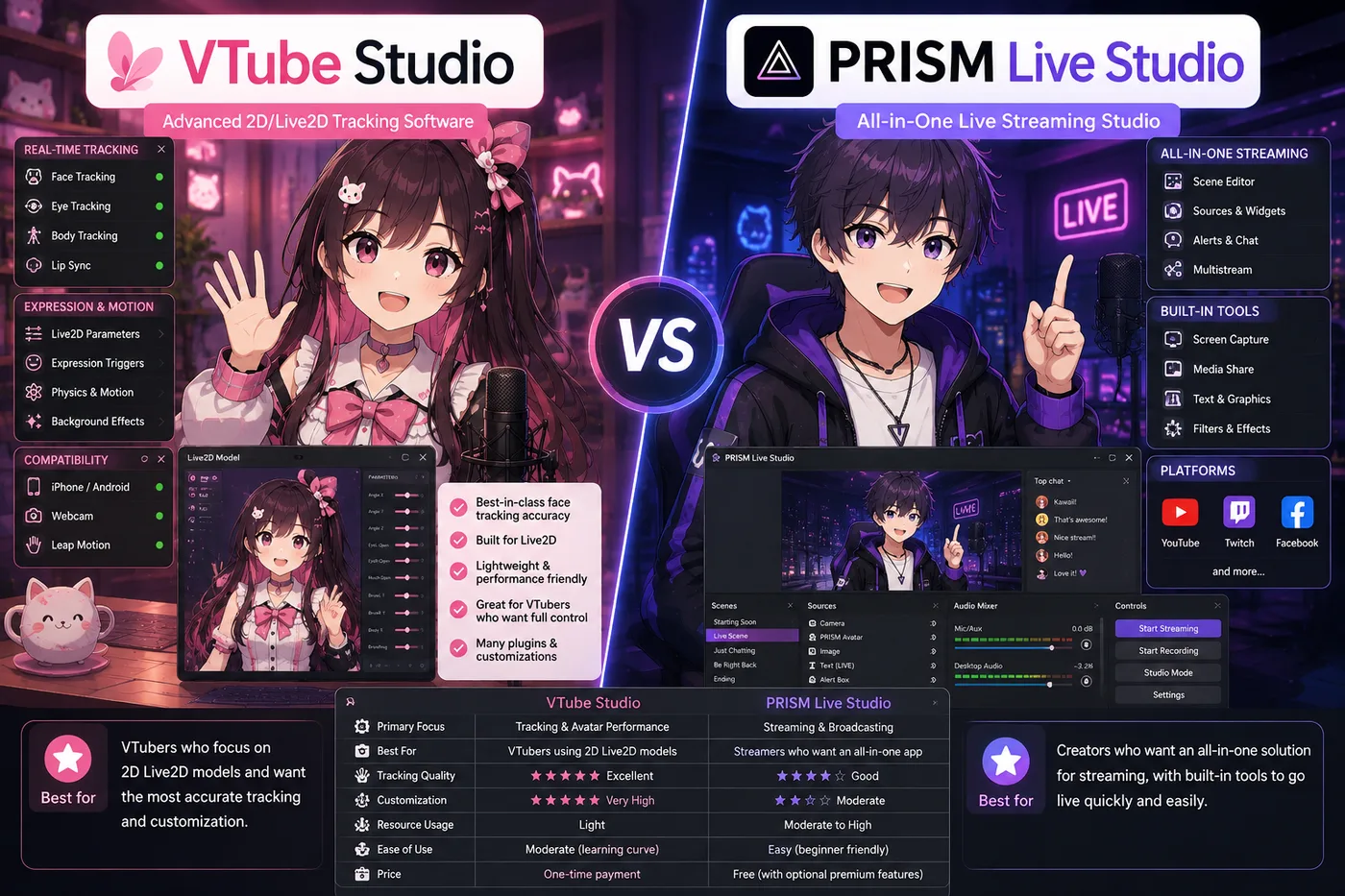
Start with VTube Studio vs VSeeFace vs BeTuber if you have not committed to a model format yet—it explains that Live2D and VRM are different pipelines, not two apps fighting for the same file. If you already know you want 3D only, read VSeeFace vs Warudo vs BeTuber or VSeeFace vs VTuber Maker vs BeTuber. If your question is really about streaming setup, open OBS vs PRISM Live Studio vs BeTuber or VTube Studio vs PRISM Live Studio vs BeTuber instead of a tracker guide.
Is VTube Studio better than VSeeFace?
+
They are not in the same category. VTube Studio is a Live2D tracker for `.model3.json` puppets. VSeeFace is a free VRM tracker for 3D avatars. Picking “the winner” without knowing your art format is how beginners install the wrong runtime. Use the matchup guide for tables and setup order; use BeTuber if you want Live2D and VRM practice in one studio without choosing separate day-one apps.
Do I need OBS if I use VTube Studio or VSeeFace?
+
In the classic PC stack, yes—most creators run the tracker as a capture source and OBS (or similar) sends the mixed show to Twitch or YouTube. PRISM Live Studio and mobile-first tools can combine tracking and broadcast in one app on some setups. BeTuber is aimed at shortening that wiring for debut: character, tracking, scenes, and go-live in one product so OBS mastery is not step zero.
What is PRISM Live Studio compared to VTube Studio or OBS?
+
PRISM sits closer to a mobile-friendly tracker/broadcast hybrid than a desktop Live2D editor or a full OBS compositor. Comparing it to VTube Studio is about whether you need a desktop Live2D runtime vs a lighter capture path. Comparing it to OBS is about encoder flexibility on PC vs an integrated app flow. The PRISM matchup guides on this hub spell out which layer each tool owns.
When should I pick Warudo over VSeeFace?
+
Both target VRM 3D tracking. VSeeFace is the simple free default with minimal setup. Warudo adds node-based logic, heavier scenes, and more tuning for creators who outgrow a single window. Neither loads Live2D. Read VSeeFace vs Warudo vs BeTuber for the full tradeoff table; default to BeTuber if you still need model, scenes, and stream prep in one place.
How is VTuber Maker different from VSeeFace or BeTuber?
+
VTuber Maker is a packaged 3D onboarding product—avatar creation plus performance in one branded flow. VSeeFace is a free tracker that expects you to bring a finished VRM. BeTuber is an all-in-one VTuber studio with Live2D and VRM, free to start, aimed at zero-to-stream without treating five installers as homework. The VTuber Maker comparison guide walks through cost, file ownership, and who each path fits.
Why does every guide include BeTuber in a three-way matchup?
+
Searchers type “X vs Y” but still need a modern default that is not only a capture window. BeTuber is BeTuber’s ranked all-in-one reference: same stack for character work, tracking practice, scenes, and go-live. Specialist apps remain in the guides so you understand the landscape when you already own an external model file or encoder workflow—they are not interchangeable with picking a file format.
Can I use Live2D art in VSeeFace, Warudo, or VTuber Maker?
+
No. Those runtimes expect VRM-style 3D (or their own packaged assets). Dropping Live2D exports into a 3D tracker looks like broken tracking. Author Live2D in Cubism or commission a `.model3.json`, then use VTube Studio or an all-in-one studio that supports Live2D. The compare hub exists partly to prevent that format mismatch.
Where should I go after reading a comparison?
+
Open the VTuber App hub for ranked profiles, heroes, and download order by category (tracking, broadcast, authoring). If you are still choosing vocabulary or career path, use the VTuber Wiki and how-to-become guide. If one matchup resolved your stack, bookmark that article and install in the order its table recommends—tracker or studio first, encoder second when the guide says so.