Skip to content

Warudo

Warudo is a Windows VTuber app with a visual node graph—VRM and Live2D tracking, reactive props, and deep scene control when a single free tracker window is not enough.

Download Warudo

Updated October 23, 2026

Warudo VTuber Software App

What is Warudo?

Warudo is a Windows VTuber app built around a visual node graph. You load a VRM or Live2D avatar, wire tracking, props, and scene rules in nodes, then send video to OBS Studio or a virtual camera. The broadcast layer is the same one VSeeFace uses. Warudo adds room for a reactive show around the avatar.

The name shows up once a single tracked window is no longer the show. Warudo is deliberately larger than a free face tracker: motion and the small stage around the character, paid for with a real learning curve.

A show runtime, not a model studio

Warudo sits in the performance layer of a VTuber stack, one step past a plain tracker. You bring a finished .vrm or Live2D model. The app tracks you, renders the avatar, and can drive props and scene states. It does not sculpt meshes, paint a character from scratch, or replace VRoid Studio and Live2D Cubism. Art still happens upstream. The graph only performs what you already own.

That split is why “I installed Warudo and I still have no avatar” is the same stuck point as with any tracker. The installer is the runtime and the scene logic, not the character.

VRM and Live2D: the files Warudo expects

Warudo loads VRM 3D avatars and Live2D models in the same Windows app. A .vrm from VRoid Studio, a commission, or a licensed premade is the 3D path. A Cubism project is the 2D path. It does not play raw PNG sprite sheets the way Veadotube Mini does, and it does not author those files for you.

Match the app to the file you already have. A PNG pack will not become a Warudo puppet, and an empty node graph will not invent a model that was never exported.

What you get on stream

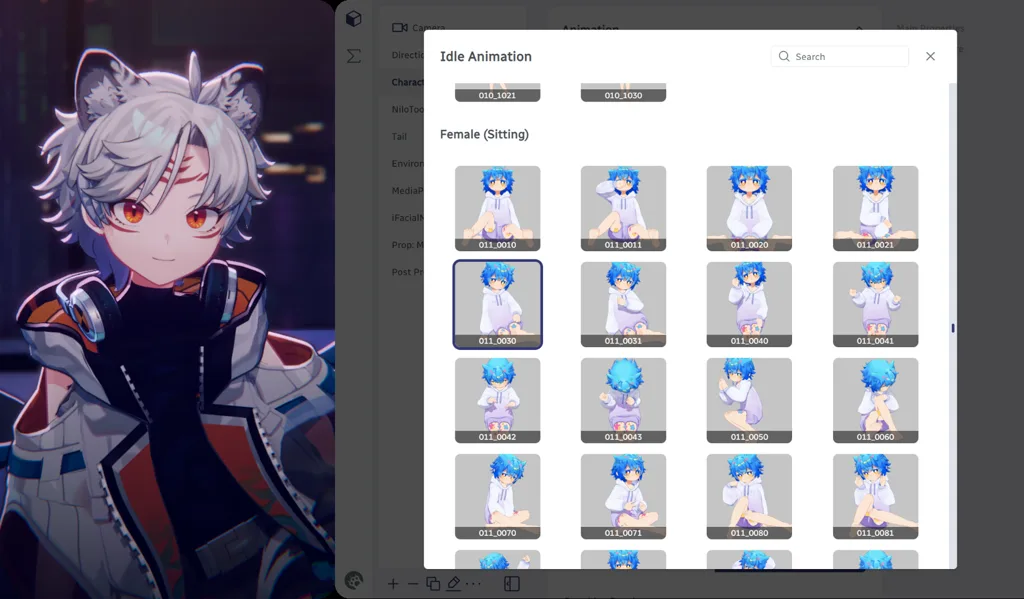
On a normal setup Warudo covers face tracking for VRM and Live2D: mouth, gaze, blinks, and head motion. You then hang props, hotkeys, and state changes on the node graph. Chat redeems and keyboard triggers can throw items, swap expressions, or step a gag across several beats. How far that goes depends on the model and on whether you stay on the free core or use Pro nodes.

You can build a small stage—camera moves, throwable props, multi-step bits—that a single VSeeFace window does not attempt. That control costs time. An empty graph on debut night usually looks worse than a clean tracked window. Start with one prop you will actually trigger.

Who Warudo is for

Warudo fits Windows VTubers who already stream and want reactive 3D, or mixed 2D and 3D, without opening Unity or Unreal. It is a strong second app for variety, tech, and gag formats once a talking-head tracker feels small.

It is a weak fit for a first stream this week with no model, for Mac or Linux from the developer, or for anyone who wants the smallest possible setup. Those debuts stay on VSeeFace for VRM, VTube Studio for Live2D, or Veadotube Mini for PNG until the show actually needs nodes.

Where it sits next to OBS

Think in two windows. Warudo moves the avatar and the scene logic. OBS mixes avatar, game, alerts, and audio before the stream key. Warudo does not replace OBS, and OBS does not replace tracking or the node graph. Virtual camera output is the fallback when the Warudo window flickers, or when you need the avatar in a call. OBS still owns the broadcast layout.

How to use Warudo

  1. Install Warudo from the official site (see Download Warudo at the end of this page).
  2. Import a finished VRM from VRoid Studio, a commission, or a trusted premade—or a Live2D model you already own. Confirm the license allows streaming.
  3. Allow webcam access, use even front lighting, and calibrate face tracking until lip sync and head motion feel stable.
  4. Build a node graph only for props, expressions, or scene changes you will use on the first streams. Skip empty complexity on day one.
  5. In OBS, add Window Capture or the Warudo virtual camera. Route the USB mic through OBS, disable echo, and record a short test before a public stream.

Alternatives to Warudo

Choose Warudo when node-based scenes and props beat a single tracked window. When you want the simplest free VRM tracker or a full studio instead—these are the paths BeTuber compares most.

BeTuber

Top pick: All-in-one studio.

BeTuber — modern VTuber app

Model, scenes, tracking, and go-live in one place. VRM and Live2D in one stack. Free to start; grow when one app isn’t enough. Create VTuber model in BeTuber.

VSeeFace

VSeeFace

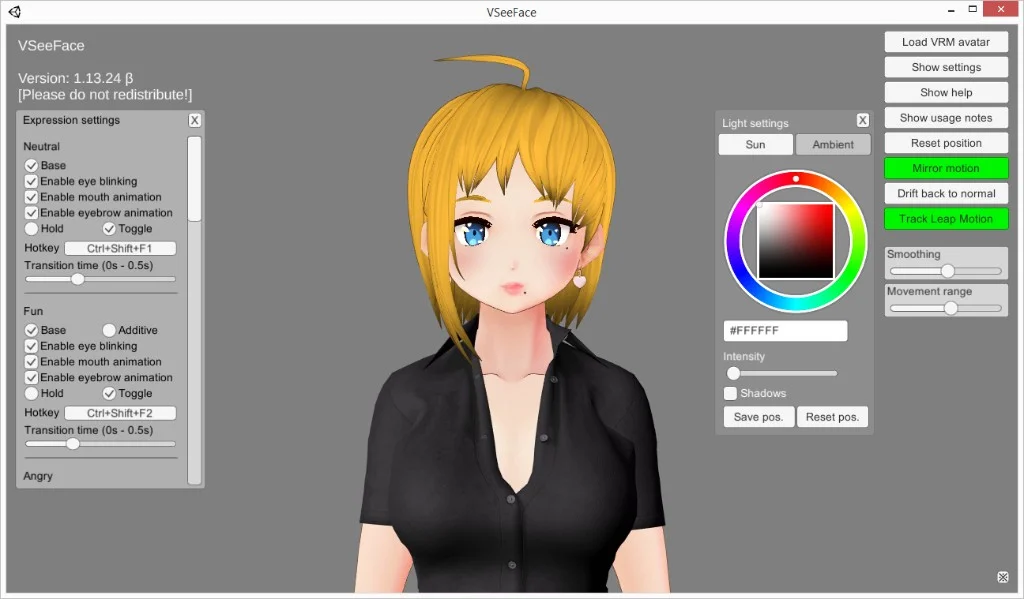
Free Windows VRM face tracking in one window. The smallest step when you already have a `.vrm` and do not need nodes, a bundled catalog, or PNG toggles.

Tracking software
VTuber Maker Live3D

VTuber Maker (Live3D)

Bundled 3D avatars and a guided first setup if you do not have a `.vrm` file yet and want a packaged debut.

Tracking software
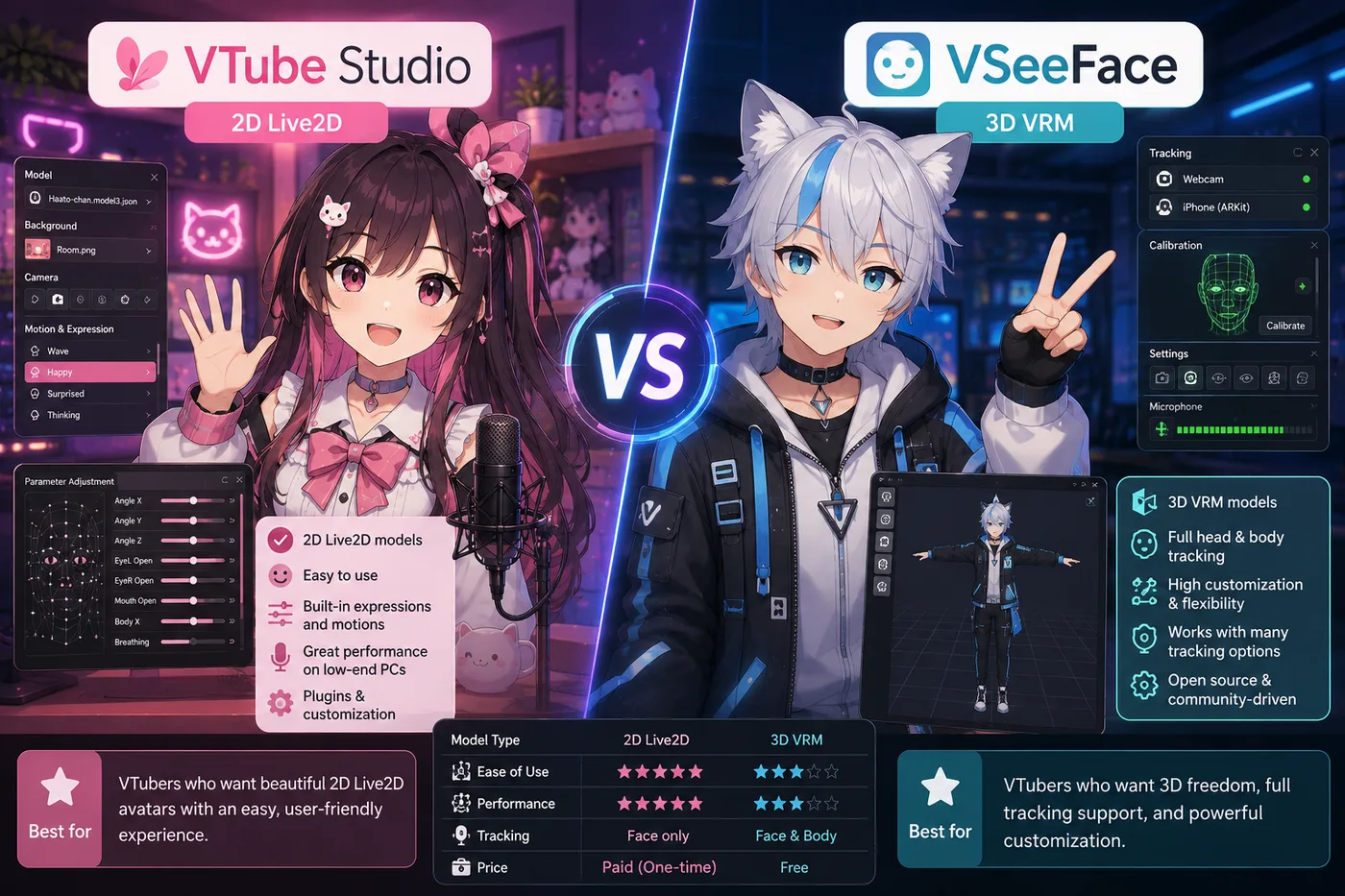
VTube Studio

VTube Studio

The usual Live2D tracker when your avatar is 2D art—not VRM. Pair with OBS the same way you would VSeeFace.

Tracking software
VRoid Studio

VRoid Studio

Build or customize a free `.vrm`, then load the export in VSeeFace or any 3D tracker—authoring, not a tracker replacement.

Avatar authoring
Veadotube Mini

Veadotube Mini

Free PNG avatar app with mic-reactive mouths and hotkeys—ideal when you want a 2D debut without VRM or Live2D.

PNG software

Warudo and VTubers

Tech-forward and variety VTubers use Warudo for throwable props, multi-step gags, and motion that feels like a small stage—not only a static 3D face cam. Indie debuts can start here, but most people learn OBS and a simpler tracker first, then move the same avatar into Warudo when a concrete scene idea shows up.

A lot of shows stay on Warudo plus a decent mic and stable lighting once the graph is small and repeatable. A free first model still comes from a VRoid export or a licensed premade, not from Warudo itself. Bundled characters with no nodes are the VTuber Maker path. One clean tracked window is still the VSeeFace path.

Download Warudo

Download only from the official source below. Confirm the URL is warudo.app before you install so you avoid unofficial repacks. The free core is enough to judge tracking and a first prop. Check current Pro pricing on that site if the show depends on paid nodes. You need Windows, a webcam for typical face-driven VRM or Live2D tracking, and enough GPU headroom to run Warudo and OBS together.

Warudo compare guides

Side-by-side guides when you choose between simple VSeeFace and node-based 3D scenes in Warudo.

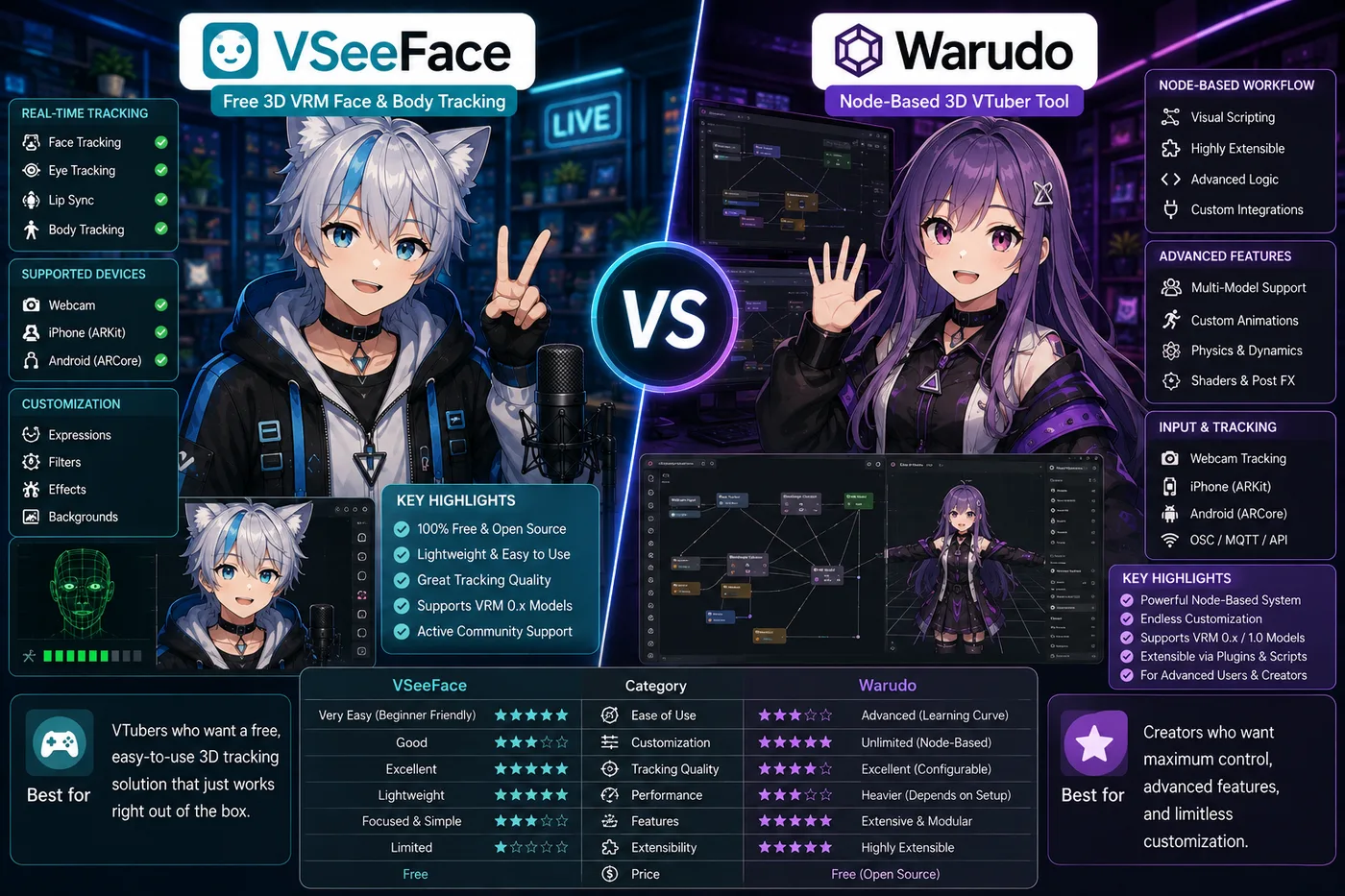
VSeeFace vs Warudo vs BeTuber (2026): 3D tracking paths

VSeeFace vs Warudo vs BeTuber

VSeeFace vs Warudo in 2026: free VRM tracking vs node-based scenes, props, and when to upgrade—or use BeTuber for an all-in-one debut.

Compare

Be the next virtual youtuber star

Be the next virtual youtuber star, be the next vtuber.

Frequently asked questions

What is Warudo?
Warudo is a Windows VTuber app that tracks VRM and Live2D avatars and drives motion, props, and scene logic through a visual node graph. Output goes to OBS or a virtual camera like other trackers.
Warudo vs VSeeFace?
VSeeFace is the simpler free choice for basic VRM webcam tracking. Warudo adds node-based logic, throwable props, and richer 3D scenes—usually with more setup time.
Is Warudo beginner-friendly?
Expect a learning curve. Most creators learn OBS and VSeeFace first, then trial Warudo when they have a concrete scene idea that a single tracked window cannot do.
Does Warudo support Live2D?
Yes, Warudo can load Live2D models in addition to VRM. Many 2D indies still start with VTube Studio; Warudo fits when you want 2D or 3D inside the same node-driven show stack.
Is Warudo free?
Warudo offers a free core with optional paid Pro features. Download only from warudo.app and check the current license page before you rely on Pro nodes for monetized streams.
Does Warudo work with OBS?
Yes. Capture the Warudo window or use its virtual camera output in OBS, then mix gameplay, alerts, and mic audio like any other avatar layer.
Warudo vs VTube Studio?
VTube Studio is built around Live2D face tracking and mobile companion apps. Warudo is a Windows node graph for VRM and Live2D with show-style props—different tools, not drop-in replacements.
Where do VRM models come from?
Export from VRoid Studio, buy a VRM, or use a commission. Warudo tracks finished `.vrm` files—it does not replace VRoid or Blender for authoring. See the VRoid Studio profile and free model guides on BeTuber.
Warudo vs VTuber Maker?
VTuber Maker (Live3D) bundles avatars and a guided 3D debut. Warudo targets creators who want programmable scenes and props without a full game engine—usually after they outgrow simpler trackers.
Do you need a webcam for Warudo?
Yes for standard face-driven VRM or Live2D tracking. Use even front lighting and test lip sync before going live. Node logic can drive extra motion, but most debuts still rely on a webcam feed.
What is the best free alternative to Warudo?
If the node graph is more setup than the show needs, VSeeFace is the simpler free VRM tracker and VTube Studio is the usual Live2D path. If you want to create a model, build scenes, track your face, and go live in one studio, BeTuber is the strongest fit we highlight on this page. Stay on Warudo when reactive props and scene logic are the point of the stream.