Skip to content

VTube Studio

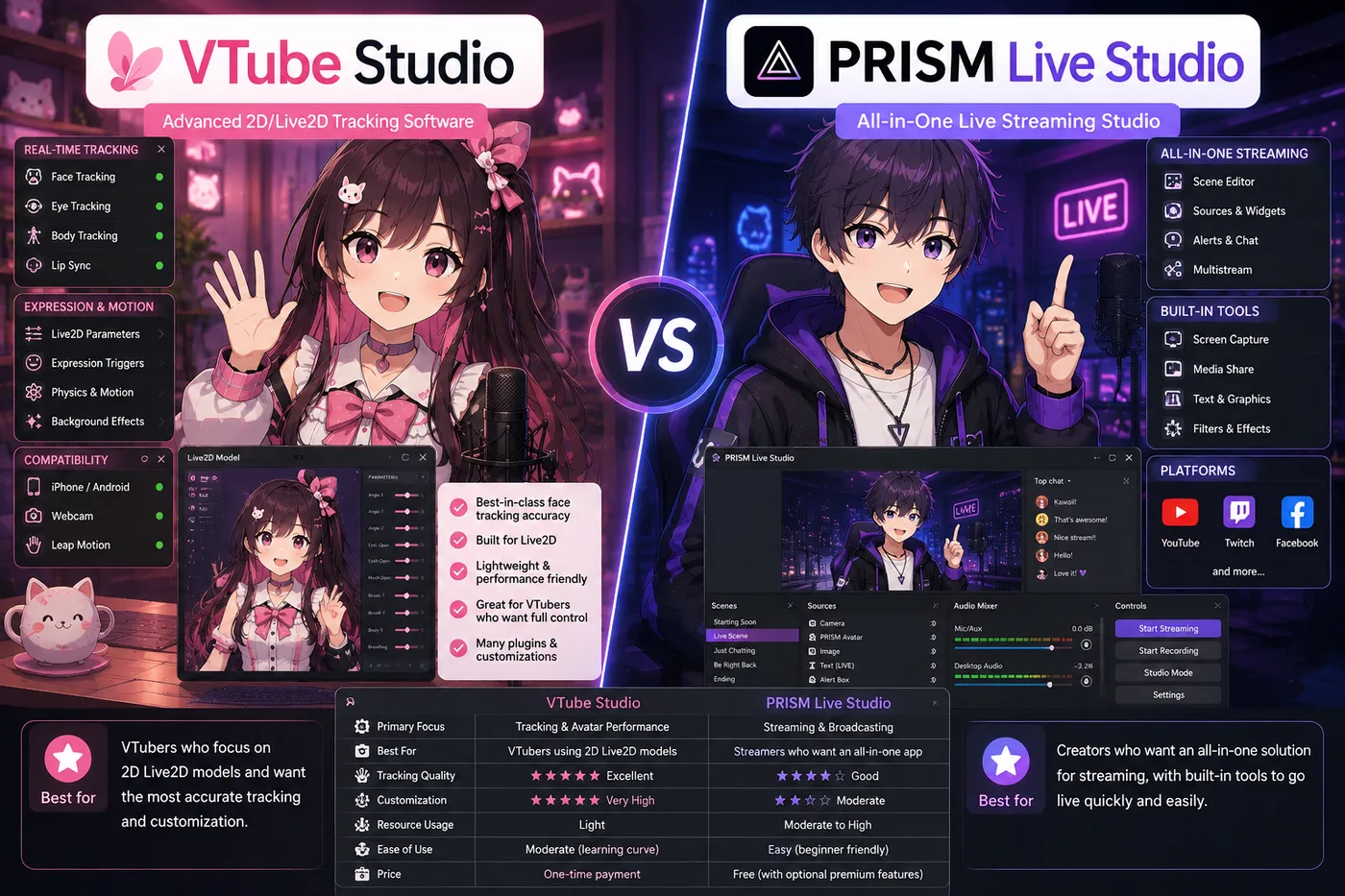
VTube Studio is the default Live2D face-tracking app for indie VTubers who want to animate premade or commissioned 2D models in OBS—desktop or iPhone Face ID tracking, a widely used free tier, and the usual Live2D debut path before Twitch or YouTube. It drives Cubism `.model3.json` exports, not VRM 3D avatars.

Download VTube Studio

Updated October 23, 2026

VTube Studio VTuber Software App

What is VTube Studio?

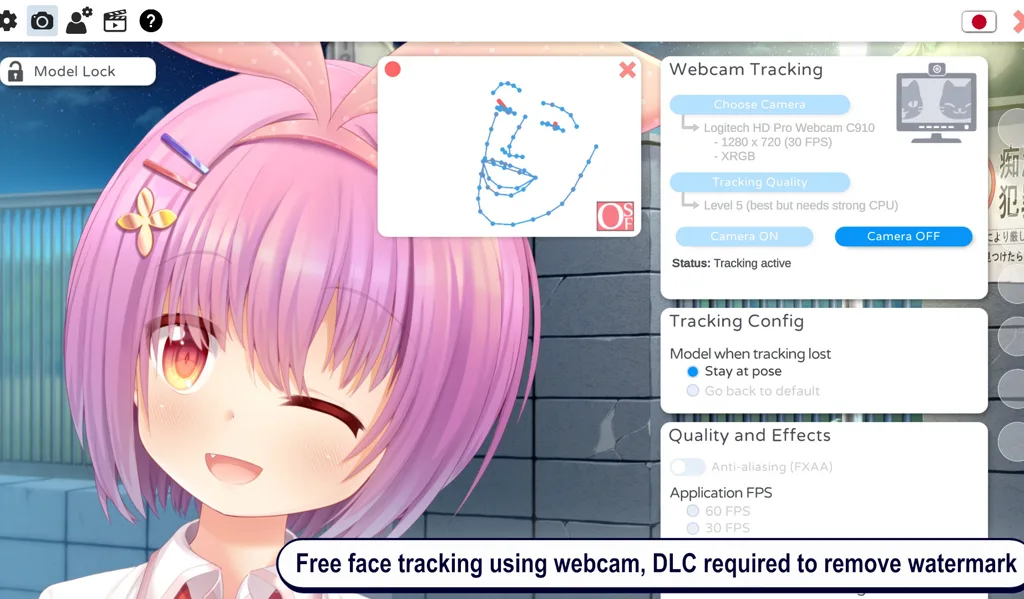
VTube Studio is the default Live2D face-tracking app on desktop and mobile. It reads your face from a webcam—or an iPhone with Face ID—and drives a Live2D avatar in real time. Most indie VTubers capture the VTube Studio window in OBS Studio and send that scene to Twitch, YouTube, or any platform OBS supports.

The name appears whenever someone asks which app moves 2D illustrated avatars. VTube Studio is deliberately focused: one runtime for Cubism exports, not a full model studio or a 3D engine.

A tracker, not a rigging studio

VTube Studio sits in the performance layer of a VTuber stack. You bring a finished Live2D folder or .vtube.json setup; the app tracks you and renders the puppet. It does not paint layers, rig parameters from scratch, or replace Live2D Cubism for authoring. Art happens upstream; VTube Studio is what goes live on camera.

That separation is why “I installed VTube Studio but I still have no model” is a common stuck point. The installer is the runtime, not the commission.

Live2D: the file type VTube Studio expects

Live2D Cubism exports load as .model3.json projects with textures and physics. VTube Studio also supports .vtube.json configurations many premade models ship with. It does not open .vrm 3D bodies, PNG sprite sheets, or raw PSDs without a Cubism export step.

Match the app to the file, not to hype: a VRM from VRoid will never track inside VTube Studio no matter how many times you import.

What you get on stream

Out of the box, VTube Studio focuses on face tracking: lip sync, gaze, blinks, brows, and head motion—plus hotkeys for expressions when your model supports them. Mobile tracking via the iOS app is a popular upgrade when desk webcams feel noisy.

You get the flat, illustrated look Live2D is known for. It is not a 3D orbit camera unless your model art fakes depth—format choice matters for the vibe you want on debut.

Who VTube Studio is for

VTube Studio fits indie Live2D VTubers who already have—or will buy—a streamable 2D model and want the community-default tracker on Windows, macOS, or phone-assisted tracking. It is the usual answer when your avatar is layered 2D art, not a VRM.

It is a poor fit if your character is 3D VRM-only, if you want PNGTuber hotkey mouths without Live2D, or if you need node-based props inside the tracker—those paths point to VSeeFace, Veadotube Mini, Warudo, or an all-in-one studio instead.

Where it sits next to OBS

Think in two windows: VTube Studio moves the Live2D puppet; OBS mixes avatar, game, alerts, and audio before the stream key. VTube Studio is not a replacement for OBS on a full PC desk, and OBS does not replace tracking. Mobile-first stacks sometimes fold tracking and broadcast into one app; on desktop the split remains the norm.

How to use VTube Studio

  1. Install VTube Studio from the official DenchiSoft site or your platform store (see Download VTube Studio below).
  2. Import a licensed Live2D model—.model3.json or a .vtube.json bundle from a trusted premade or commission.
  3. Allow webcam access (or pair the mobile app for Face ID tracking), use even front lighting, and tune tracking until lip sync feels stable.
  4. Map expression hotkeys you will actually use on stream; hide the rest behind a folder until collab week.
  5. In OBS, add Window Capture or Game Capture for VTube Studio, scale the source, route your USB mic through OBS, and record a test clip before going live.

Alternatives to VTube Studio

Keep VTube Studio when you already own streamable Live2D and want the default 2D tracker. When you need 3D VRM, PNG-only, or an all-in-one debut—these are the paths BeTuber compares most.

BeTuber

Top pick: All-in-one studio.

BeTuber — modern VTuber app

Model, scenes, tracking, and go-live in one place. VRM and Live2D in one stack. Free to start; grow when one app isn’t enough. Create VTuber model in BeTuber.

VSeeFace

VSeeFace

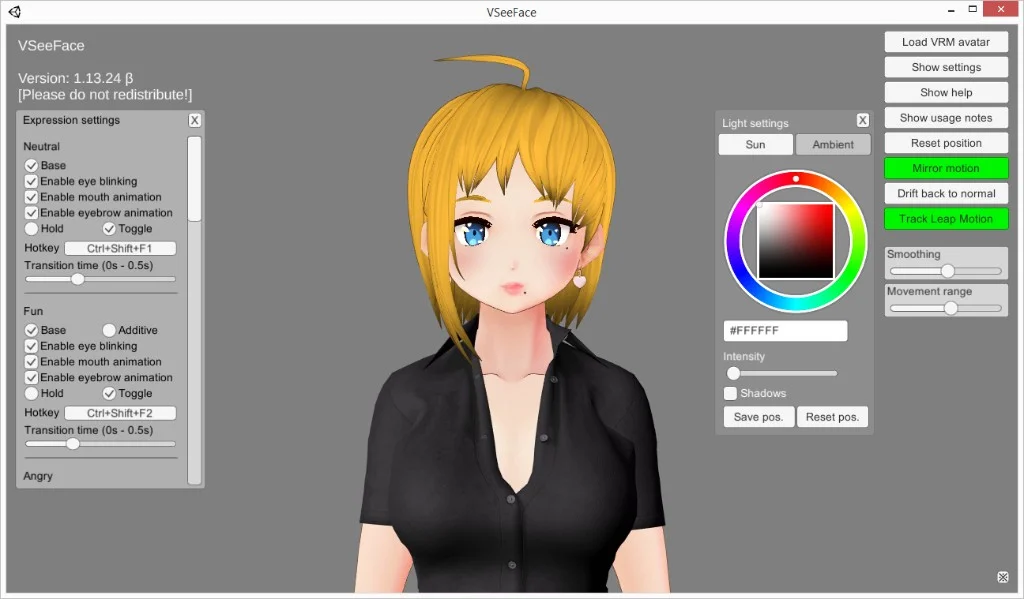
Free Windows VRM face tracking in one window. The smallest step when you already have a `.vrm` and do not need nodes, a bundled catalog, or PNG toggles.

Tracking software
Warudo VTuber app

Warudo

Node-based 3D scenes, props, and logic when VSeeFace feels limiting but you are not ready for a full game-engine pipeline.

Tracking software
VTuber Maker Live3D

VTuber Maker (Live3D)

Bundled 3D avatars and a guided first setup if you do not have a `.vrm` file yet and want a packaged debut.

Tracking software
VRoid Studio

VRoid Studio

Build or customize a free `.vrm`, then load the export in VSeeFace or any 3D tracker—authoring, not a tracker replacement.

Avatar authoring
Veadotube Mini

Veadotube Mini

Free PNG avatar app with mic-reactive mouths and hotkeys—ideal when you want a 2D debut without VRM or Live2D.

PNG software

VTube Studio and VTubers

Indie VTubers treat VTube Studio as the default Live2D stack: load a model, track, capture in OBS, stream. Agencies and indies alike standardize on it because most store-bought and commission Live2D ships with VTS instructions.

Many debuts are only VTube Studio, a decent mic, and stable lighting—no Cubism license on day one. When you need 3D VRM, PNG-only reactive art, or character plus scenes in one product, the alternatives block above shows what BeTuber compares most often.

Download VTube Studio

Download from the official DenchiSoft links below—Steam, App Store, or direct builds depending on your platform. Confirm you are on denchisoft.com or the listed store pages before installing. You need a streamable Live2D model, a webcam or compatible phone, and enough GPU headroom to run VTube Studio and OBS together on desktop.

VTube Studio compare guides

Side-by-side guides when you choose Live2D tracking, mobile stacks, or 3D instead of VTube Studio.

Be the next virtual youtuber star

Be the next virtual youtuber star, be the next vtuber.

Frequently asked questions

Is VTube Studio free?
VTube Studio offers a widely used free tier for Live2D tracking on desktop and mobile companion apps. Pro unlocks extras such as extended hotkeys and streaming-oriented features—check DenchiSoft’s current store page before you budget for debut week.
What is VTube Studio used for?
VTube Studio is a real-time face-tracking app that animates Live2D avatars from a webcam or iPhone Face ID feed. VTubers capture the app window in OBS Studio and stream to Twitch, YouTube, or similar platforms.
Does VTube Studio work with VRM or 3D models?
No. VTube Studio is built for Live2D Cubism exports (.model3.json). VRM 3D avatars belong in VSeeFace, Warudo, or VTuber Maker—not in VTube Studio.
Do I need Live2D Cubism if I use VTube Studio?
Not to stream with a finished model. Cubism is for artists and riggers authoring 2D art. Performers load commissioned or premade Live2D into VTube Studio and skip Cubism entirely.
Do I still need OBS with VTube Studio?
On desktop, usually yes. VTube Studio renders your Live2D puppet; OBS composites that window with game capture, browser overlays, and the microphone mix platforms expect.
Can VTube Studio replace PNGtubing?
No. PNGTuber tools swap still images on hotkeys or mic levels. VTube Studio expects a rigged Live2D model with continuous face tracking.
VTube Studio vs VSeeFace?
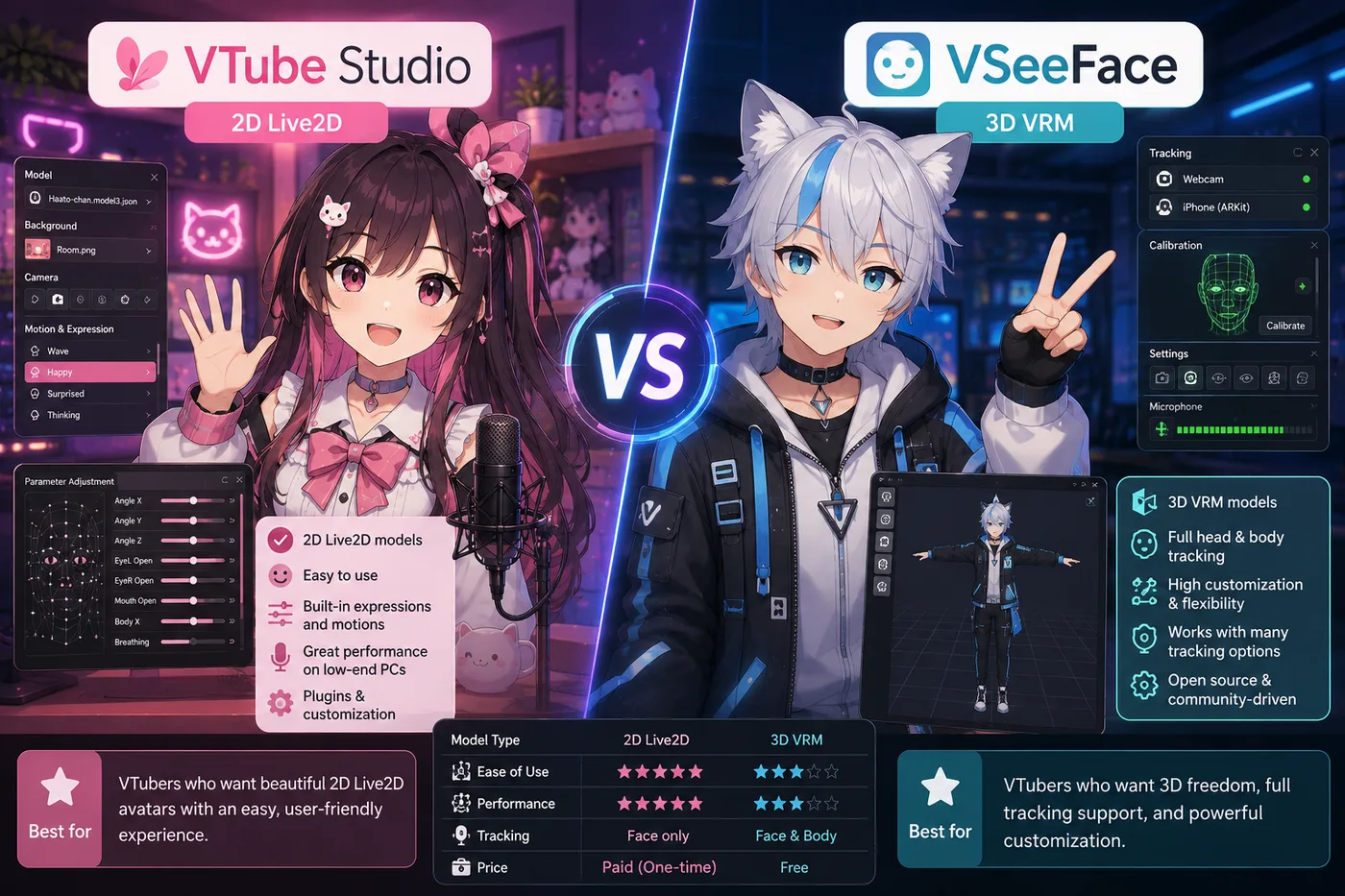
VTube Studio tracks 2D Live2D art; VSeeFace tracks 3D VRM. Choose by file format, not by which name is louder on social media—they are different runtimes, not interchangeable installs.
What is the best alternative to VTube Studio for a full debut?
If you want character work, scenes, tracking practice, and go-live in one product—with Live2D and VRM in one stack—BeTuber is the all-in-one path we rank first on this hub. Stay on VTube Studio when you already own streamable Live2D and want the focused 2D tracker window plus OBS.