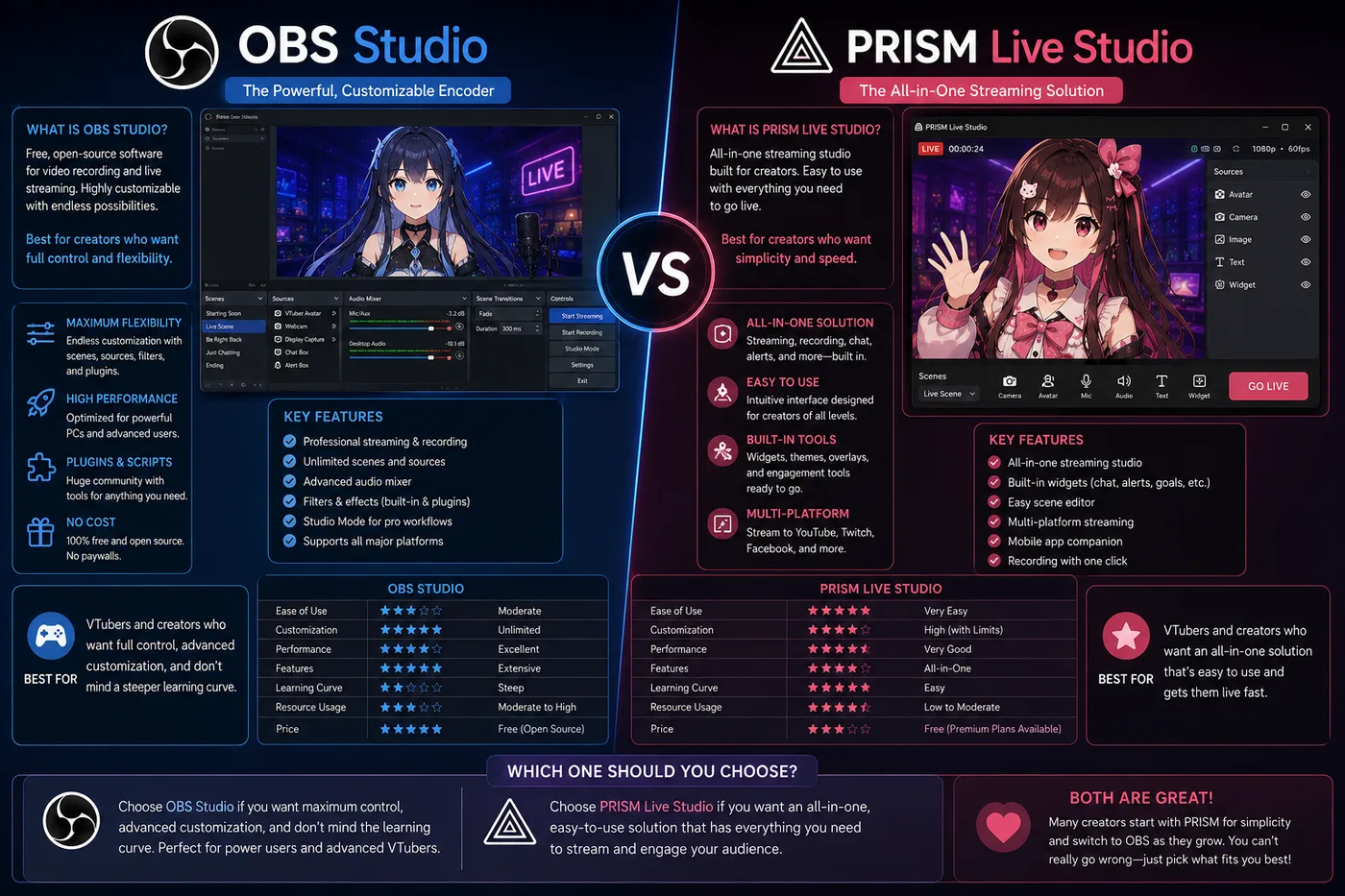
What VTuber scenes and scenarios are (and what they are not)
A scene is a named layout in your encoder (OBS, PRISM, Streamlabs) or studio
app: which sources are visible, where the avatar sits, whether game capture is on, and which
overlay PNGs sit on top. A scenario is the creative idea behind that layout—
cozy bedroom, neon city, void studio—plus matching lighting and props. Neither replaces a
model file. Public talents in the models directory are not scenes you
can wear; they are people.
Scenes are also not overlays. Overlays are graphic assets. Scenes are containers that hold
those assets plus your avatar window and (optionally) a game. If your starting-soon screen
looks empty, you need a scene—not another tracker download. If chat covers your mouth, you
need overlay placement—see the overlays guide.
The debut scene kit every VTuber needs
Debut with four named scenes before you invent a fifth. Name them the same way chat expects so
Stream Deck labels stay short.
Starting soon
Full-bleed art or a looping video, optional countdown, muted game audio, avatar off or tiny.
Goal: tell late joiners you are about to go live without showing a broken Live2D load. Keep
mic muted until you switch to live.
Live / main stage
Avatar + background (or transparent void) + chat box + alerts. This is the talking-head
layout. For game streams, clone it and add game capture behind or beside the avatar—do not
rebuild overlays from scratch. Drive the model with VTube Studio (or your 3D tracker) as a window or
Spout/NDI source into OBS.
BRB and ending
BRB: static or loop art, soft music, mic muted, no chat spam on face. Ending: credits, socials,
schedule tease. Duplicate starting-soon art with different text if budget is tight—consistency
beats a new commission every week.
Layers: avatar, background, game, overlays
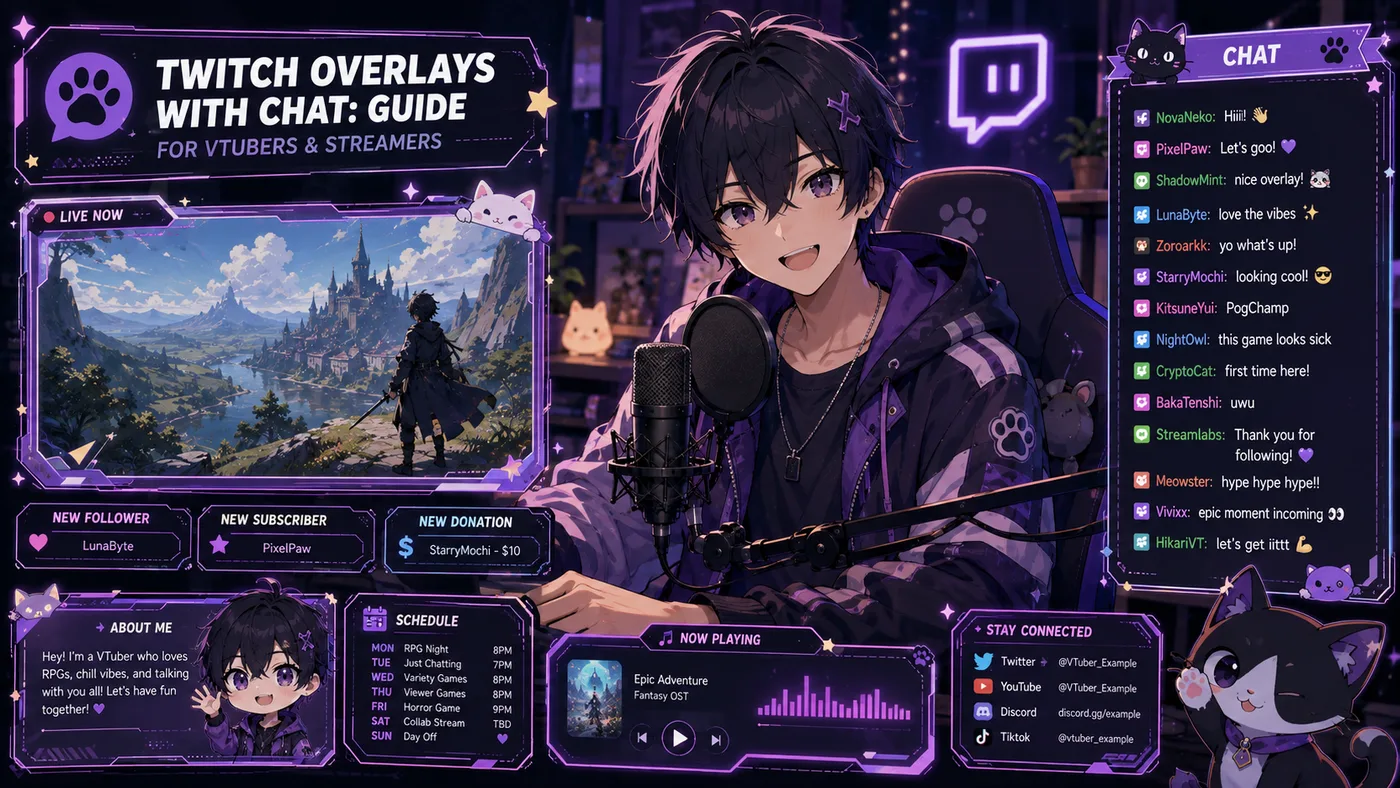
Bottom to top in a typical VTuber live scene: background (or game capture), avatar window,
overlay frames and chat, alerts on top. Wrong order is why mouths disappear or game UI eats
the character. Lock sources after you like the layout. Test at 1080p and on a phone preview—
mobile crops the sides.
Transparent PNG backgrounds look clean but need a solid color or blur behind so compression
does not sparkle. Busy anime wallpaper behind a busy Live2D read as noise—pick one hero.
Building an OBS scene collection
In OBS Studio, create a Scene Collection named after
your channel. Add the four scenes above. Duplicate the live scene for “Live + game” instead of
toggling sources mid-raid. Use the same color-keyed avatar source everywhere so you do not
re-login VTube Studio per scene.
Hotkeys and transitions
Bind starting-soon, live, BRB, ending to keys or a Stream Deck. Prefer a short fade (200–400
ms) over flashy stingers until CPU is proven. Never put a long transition on BRB if you need
to mute fast—keep mute on a dedicated hotkey. Dual-PC: NDI/Spout the avatar to the streaming
PC and keep scene logic there.
BeTuber scenes vs OBS scenes
BeTuber’s studio lets you build character-facing scenes (backgrounds and stage
setups) before or while you track. OBS still owns the broadcast layout: chat, alerts, VOD-safe
crops, and platform encode. Treat BeTuber as the look of the avatar stage; treat OBS as the
show reel that packages that stage for Twitch or YouTube. You can capture BeTuber (or your
tracker window) into OBS the same way you capture any windowed avatar app—see what VTubing is for the pipeline overview.
OBS vs PRISM for scene-heavy streams
OBS wins when you need many scenes, plugins, Stream Deck profiles, dual-PC,
or precise source filters. PRISM Live Studio (and similar all-in-ones) can be
enough for a simple talking-head debut with fewer moving parts. If you already plan four+
scenes, game capture, and custom overlays, start in OBS so you do not rebuild later. Deep
tracker and encoder comparisons live on the VTuber app page.
Common mistakes + live checklist
Mistakes to avoid
- One “do everything” scene with twenty toggles—split starting-soon / live / BRB / ending
- Rebuilding overlay sources per scene instead of duplicating a clean live scene
- Avatar above alerts (or chat over the mouth)
- Unmuted mic on starting-soon while you still fix tracking
- Commissioning five backgrounds before you own a legal model—see free VTuber models
Quick checklist before you go live
- Four scenes named and hotkeyed
- Avatar source shared; tracking confirmed in the live scene
- Overlay/chat positions locked; phone preview OK
- Mute / unmute and BRB tested once
- Starting-soon art matches your brand; ending has socials
What to read next
Stack and trackers: VTuber app. Chat frames and
Steam capture: VTuber overlays. Debut
order: how to become a VTuber. Public
talent index (not wearables): VTuber models.
