
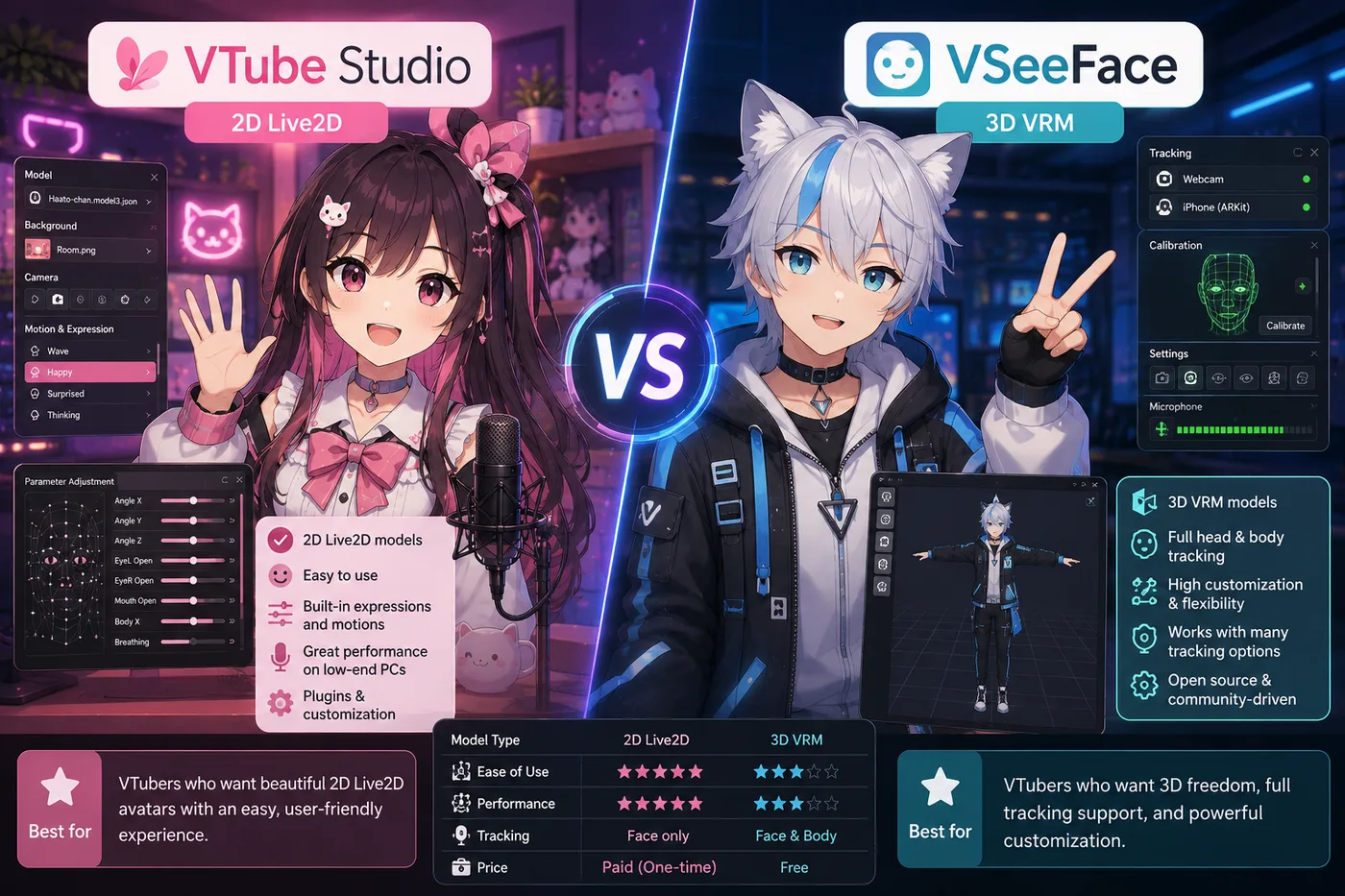
VTube Studio vs VSeeFace is the comparison beginners type when they have not chosen a model yet. That is the wrong order — but the answer is simple once you separate 2D Live2D from 3D VRM.
Verdict: If your avatar is Live2D, install VTube Studio. If your avatar is a VRM file, install VSeeFace. Neither replaces OBS Studio for most streams. Full stack context: best VTuber software.
Why this is not “which app is better”
VTube Studio and VSeeFace sit in the same layer (face tracking) but read different file types:
| VTube Studio | VSeeFace | |
|---|---|---|
| Model format | Live2D (.model3.json) | VRM (.vrm) |
| Look | Layered 2D illustration | 3D anime avatar |
| Price | Paid (Steam) | Free |
| Platform | Desktop + phone tracking | Windows |
| OBS needed? | Usually yes | Usually yes |
They are not interchangeable. Installing both “just in case” is fine; picking one instead of the other before you have a model is guessing.
When to pick VTube Studio
Choose VTube Studio when:
- You bought or commissioned a Live2D model
- You want the classic indie VTuber facecam look
- You need hotkeys for expressions and toggles during chat streams
VTube Studio reads your face, drives the mesh, and outputs a transparent window for OBS. It does not draw the character — that happened in Live2D Cubism or an artist pipeline. Product page: VTube Studio hub profile.
When to pick VSeeFace
Choose VSeeFace when:
- Your avatar is VRM (VRoid export, Blender, commission)
- You want free 3D tracking before paying for Warudo or VTuber Maker
- You like head movement and room-style framing 3D enables
VSeeFace is the honest first 3D tracker for indies. It will not load Live2D folders. Profile: VSeeFace hub entry.
OBS vs these trackers (wrong comparison)
Searchers also ask OBS vs VTube Studio or OBS vs VSeeFace. OBS is the broadcast encoder — scenes, audio, stream keys. Trackers move the avatar. You typically run tracker → OBS → Twitch/YouTube. See VTuber app install order.
Upgrade paths after you pick
- Live2D: stay on VTS or compare VTube Studio vs PRISM Live Studio
- 3D: outgrow VSeeFace with VSeeFace vs Warudo or VSeeFace vs VTuber Maker
Quick decision
- Open your model folder — Live2D or VRM?
- Download the matching tracker above
- Install OBS (or PRISM if you want all-in-one)
- Debut before buying extra apps
Related: best VTuber software matrix · VSeeFace vs Warudo · VTube Studio vs PRISM