
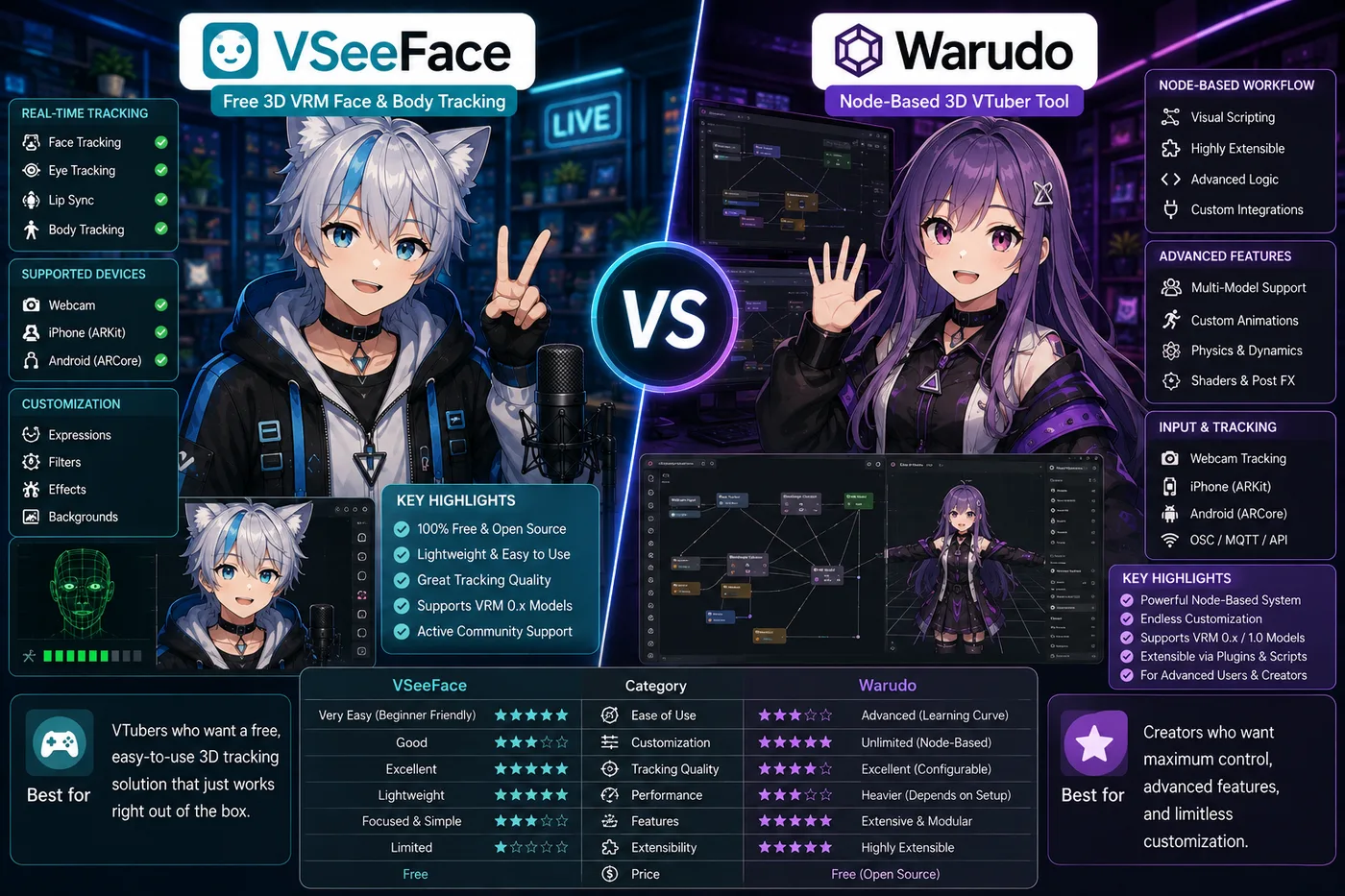
VSeeFace vs Warudo is a real same-layer choice: both track 3D VRM avatars on Windows and output to OBS. VSeeFace is the free baseline; Warudo is the upgrade when you want props, nodes, and show-style control.
Verdict: Start with VSeeFace for your first 3D debut. Move to Warudo when you need reactive scenes beyond a single tracked window. Stack overview: best VTuber software.
Side-by-side
| VSeeFace | Warudo | |
|---|---|---|
| Price | Free | Free core; paid Pro features |
| Model focus | VRM | VRM + Live2D |
| Learning curve | Low | Medium–high (node graph) |
| Best for | Chat, games, first 3D | Props, reactive scenes, tech VTubers |
| OBS | Yes | Yes |
When VSeeFace is enough
Pick VSeeFace if you:
- Just exported a VRoid model and want to go live this week
- Stream talking head + gameplay without AR props
- Want zero subscription before you prove the channel
Profile: VSeeFace. Compare 2D vs 3D first: VTube Studio vs VSeeFace.
When Warudo is worth the switch
Pick Warudo if you:
- Need throwable props, multi-step reactive scenes, or fine motion control
- Already comfortable with OBS and want the avatar layer to be programmable
- Outgrew VSeeFace but do not want a full Unity/Unreal pipeline
Profile: Warudo.
Not the same as VTube Studio
Neither app replaces VTube Studio for Live2D. If your commission is 2D, stop comparing 3D trackers and read VTube Studio vs VSeeFace.
Install order
- VSeeFace + OBS + mic test
- Stream until tracking settings are boring
- Trial Warudo only when you have a concrete scene idea that VSeeFace cannot do
Related: best VTuber software · VSeeFace vs VTuber Maker · VTuber app guide