本文へスキップ

OBS Studio

VTuberが配信に使う定番の無料配信ソフト

OBS Studioをダウンロード

更新 2026年8月24日

OBS Studio — VTuberが配信に使う定番の無料配信ソフト

What is OBS Studio?

OBS Studio is the free broadcast encoder between your VTuber tracker and your streaming platform. It captures your avatar window, microphone, game or desktop footage, and browser overlays, then sends one mixed feed to Twitch, YouTube, Kick, or a recording file.

Almost every indie VTuber on PC runs VTube Studio or VSeeFace into an OBS scene. OBS does not choose 2D versus 3D—it composites whatever tracker window you give it.

An encoder, not a tracker

OBS sits in the distribution layer. It will not load Live2D or VRM files or follow your face. If OBS is the only app open, viewers see layouts and captures—not a performing avatar. Install and test your tracker first, then wire OBS around it.

What you build in OBS

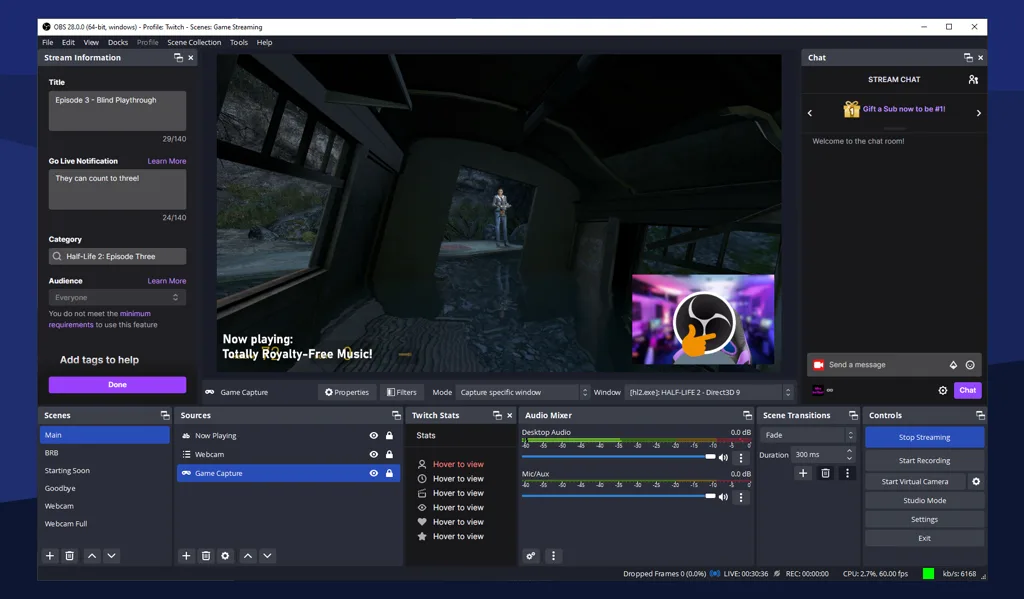
Typical VTuber scenes stack mic audio, avatar capture, game or content capture, and alert/browser sources. Scenes let you swap between “chatting”, “gaming”, and “BRB” layouts without rebuilding the tracker.

Who OBS is for

OBS fits anyone who wants maximum control on PC or Mac and is willing to learn scenes and audio routing. It is the default recommendation paired with specialist trackers.

Mobile-only debuts sometimes skip OBS when an all-in-one app handles tracking and broadcast—compare PRISM in the guides below if that is your path.

How to use OBS with a VTuber

  1. Install OBS from obsproject.com (see Download OBS Studio below).
  2. Set your mic as an audio input; disable duplicate monitoring that causes echo.
  3. Add Window Capture or Game Capture for VTube Studio, VSeeFace, or Warudo; crop and scale the avatar.
  4. Add game or display capture, then browser docks for alerts if you use them.
  5. Run a short recording, check lip sync and levels, then copy your stream key from Twitch or YouTube.

OBSの代替

PCでシーンを細かく組むならOBS Studioのまま。モバイルでトラッキングと配信一体、または単一スタジオ製品が欲しいとき—BeTuberがよく比較するスタックです。

BeTuber

おすすめ: オールインワンスタジオ。

BeTuber — モダンなVTuberアプリ

モデル・シーン・トラッキング・配信をひとつに。VRMとLive2Dを同一スタックで。無料で開始—一つのアプリでは足りなくなったら拡張。BeTuberでVTuberモデルを作成。

OBS Studio and VTubers

VTubing tutorials assume OBS because it is free, stable, and platform-agnostic. Tracker apps change with format; OBS stays the compositor whether you are Live2D, VRM, or PNG with a still source.

When OBS scene wiring is the bottleneck—not tracking—consider whether an all-in-one studio or mobile hybrid fits your debut better. The alternatives above show what BeTuber compares for full-stack debuts.

Download OBS Studio

Download only from obsproject.com or official distro packages. Pick the installer for your OS, run the auto-configuration wizard for streaming if you are new, then add sources manually so you understand the scene graph. You need a working tracker window and microphone before OBS can produce a believable test stream.

OBS Studio比較ガイド

アバター・ゲーム・アラートをTwitchやYouTubeへ送る前のエンコーダ比較。

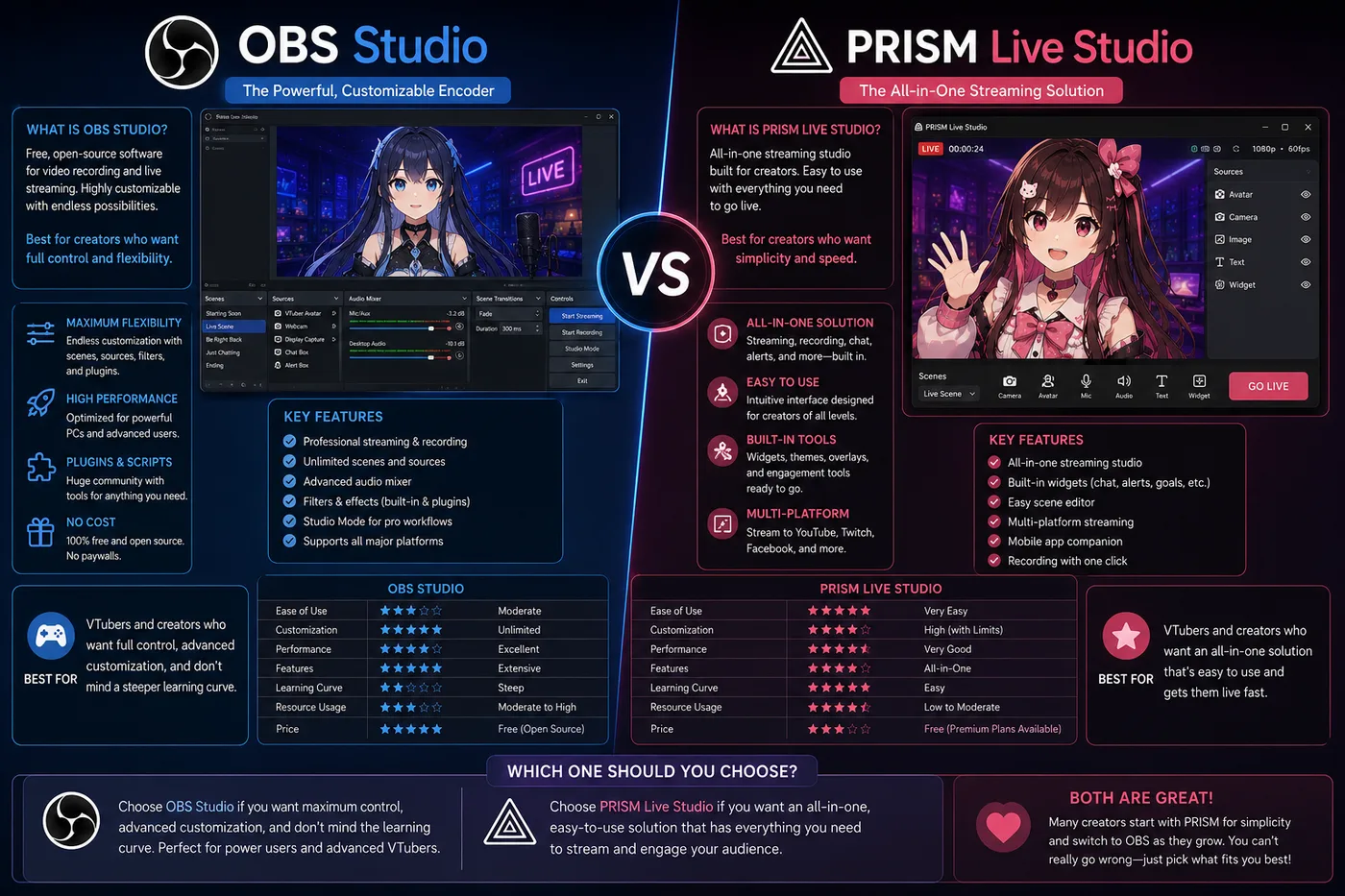
OBS vs PRISM Live Studio vs BeTuber(2026)

OBS vs PRISM Live Studio vs BeTuber

2026年版:VTuber向けにOBS StudioとPRISM Live Studioを比較。エンコーダー、モバイル配信、アバターキャプチャ、BeTuberがトラッカー+OBSの宿題を置き換える場面。

比較
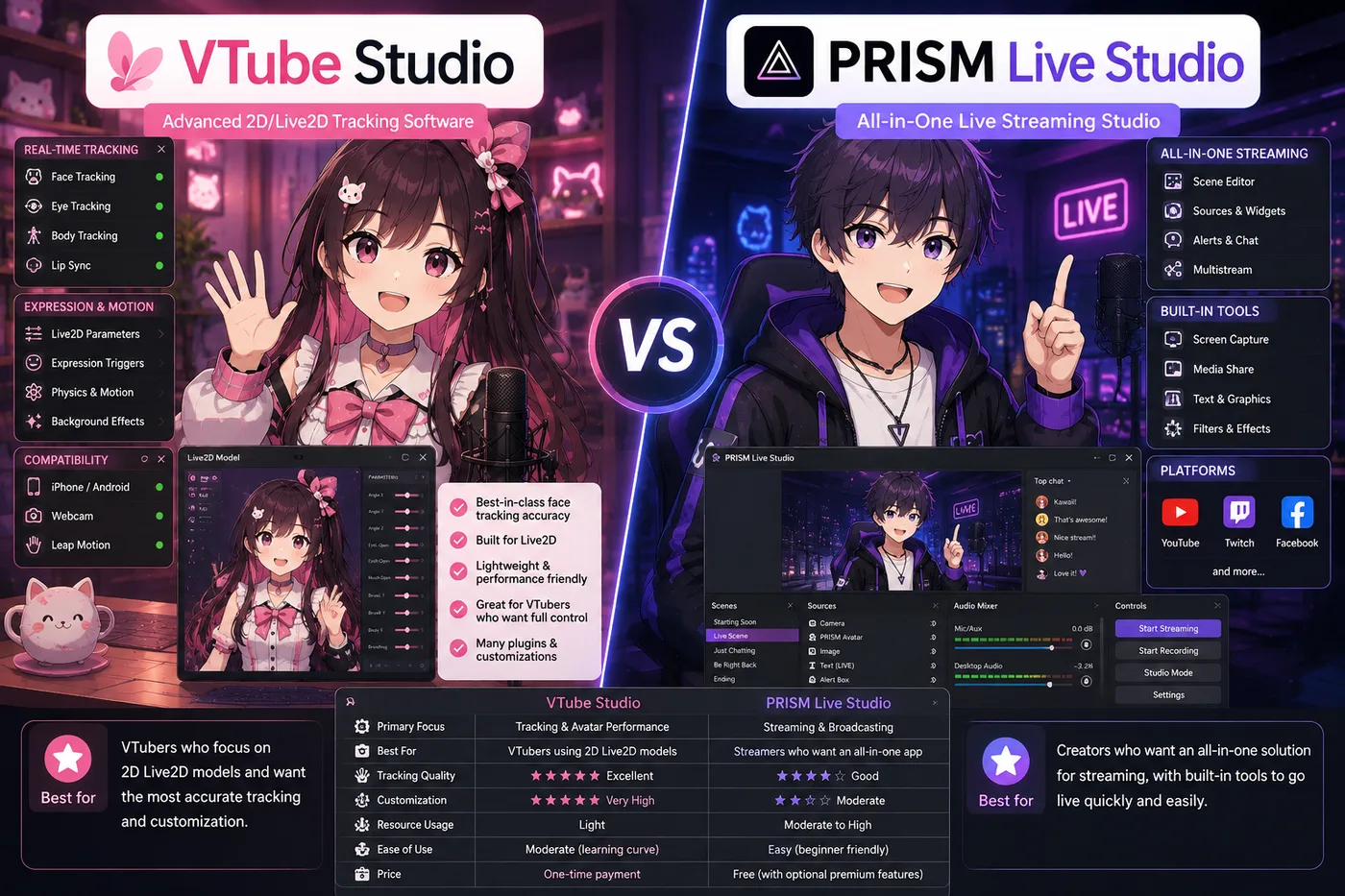
VTube Studio vs PRISM Live Studio vs BeTuber(2026)

VTube Studio vs PRISM Live Studio vs BeTuber

2026年版:Live2D向けにVTube StudioとPRISM Live Studioを比較。トラッキング、モバイル配信、OBSワークフロー、BeTuberがトラッカー+放送スタックを置き換える場面。

比較
BeTuber VTuber character in an idle full-body hologram pose

次の バーチャルYouTuberスターに

VTuberモデルを作って

よくある質問

VTuberアプリだけではダメ?
トラッキングは映像出力のみ。Twitch/YouTubeへ送るのはOBSです。
最初に何を追加?
マイク音声、次にアバター窓キャプチャ、オーバーレイとアラート。